Role
Product strategy, learning and interaction design, multilingual content model, and direction of the Claude Code build.
Project · 2025–2026
A multilingual recall tool that lets me—not the app—decide what I know.
The International Phonetic Alphabet (IPA) represents speech sounds consistently across languages. I wanted to learn it so I could better understand pronunciation in the languages I study. IPA Drill is the working personal tool I built for that purpose.
I designed the drill to be effortful enough to teach recall, forgiving enough to handle real spelling ambiguity, and lightweight enough that the interface doesn’t compete with the symbol-learning task.
Role
Product strategy, learning and interaction design, multilingual content model, and direction of the Claude Code build.
Status
Working personal internal tool, refined through continued use; not evaluated with other learners.
Working outcome
A recall drill with learner-controlled knowledge states, valid-answer handling, and independent progress across languages.
Implementation
Directed Claude Code to build and refine the application through a describe, build, use, and critique loop.
Retrieval practice
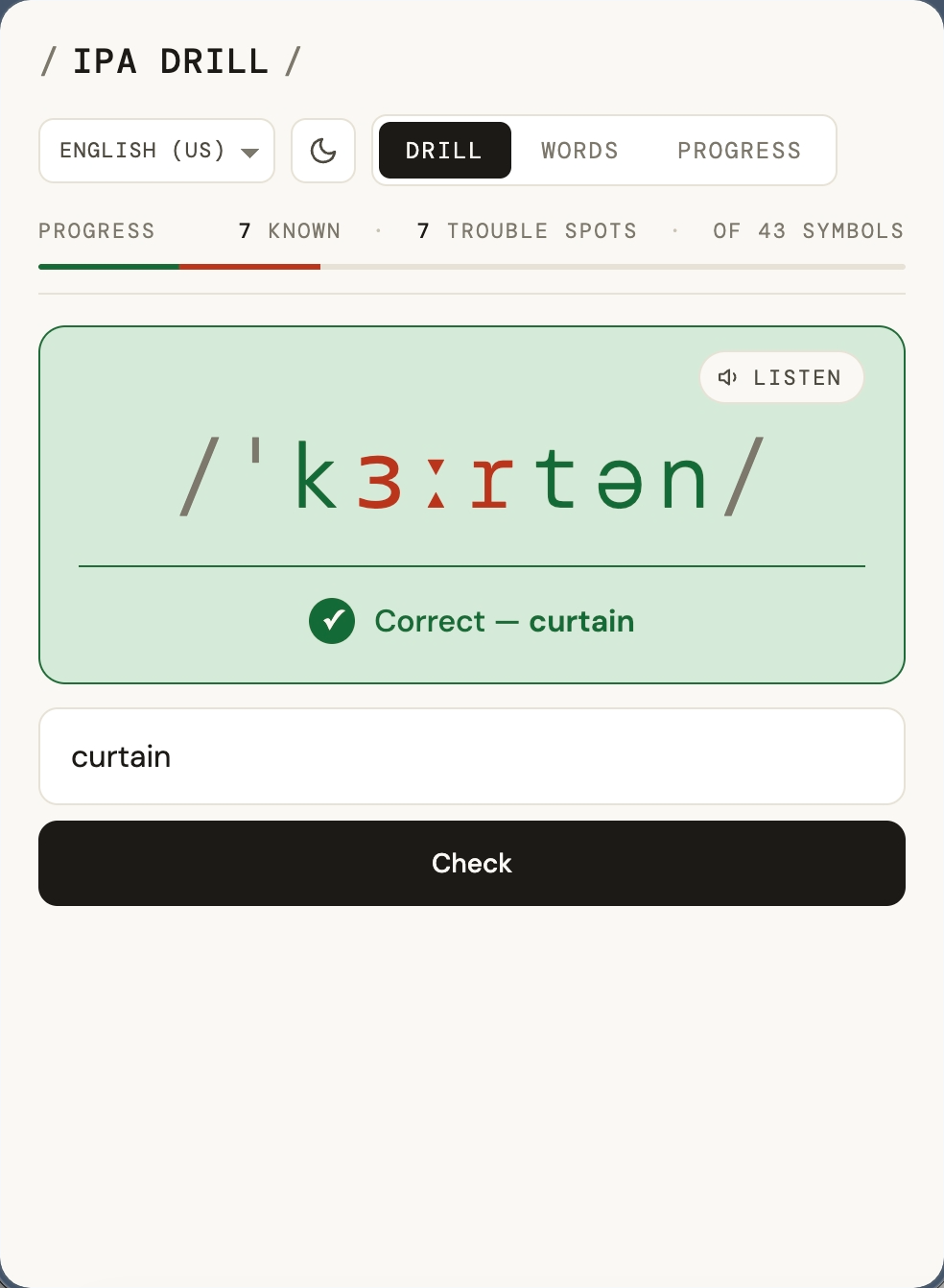
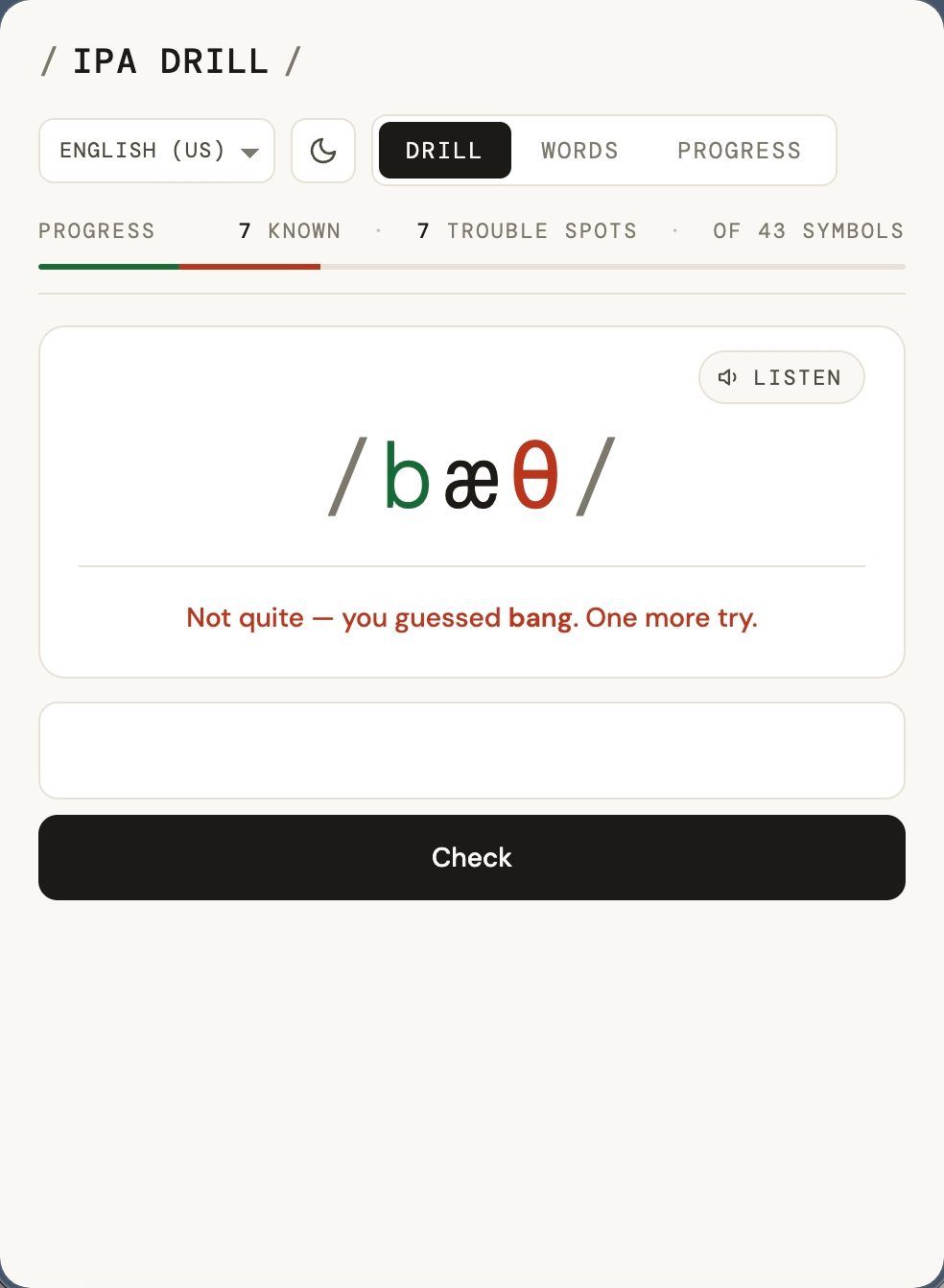
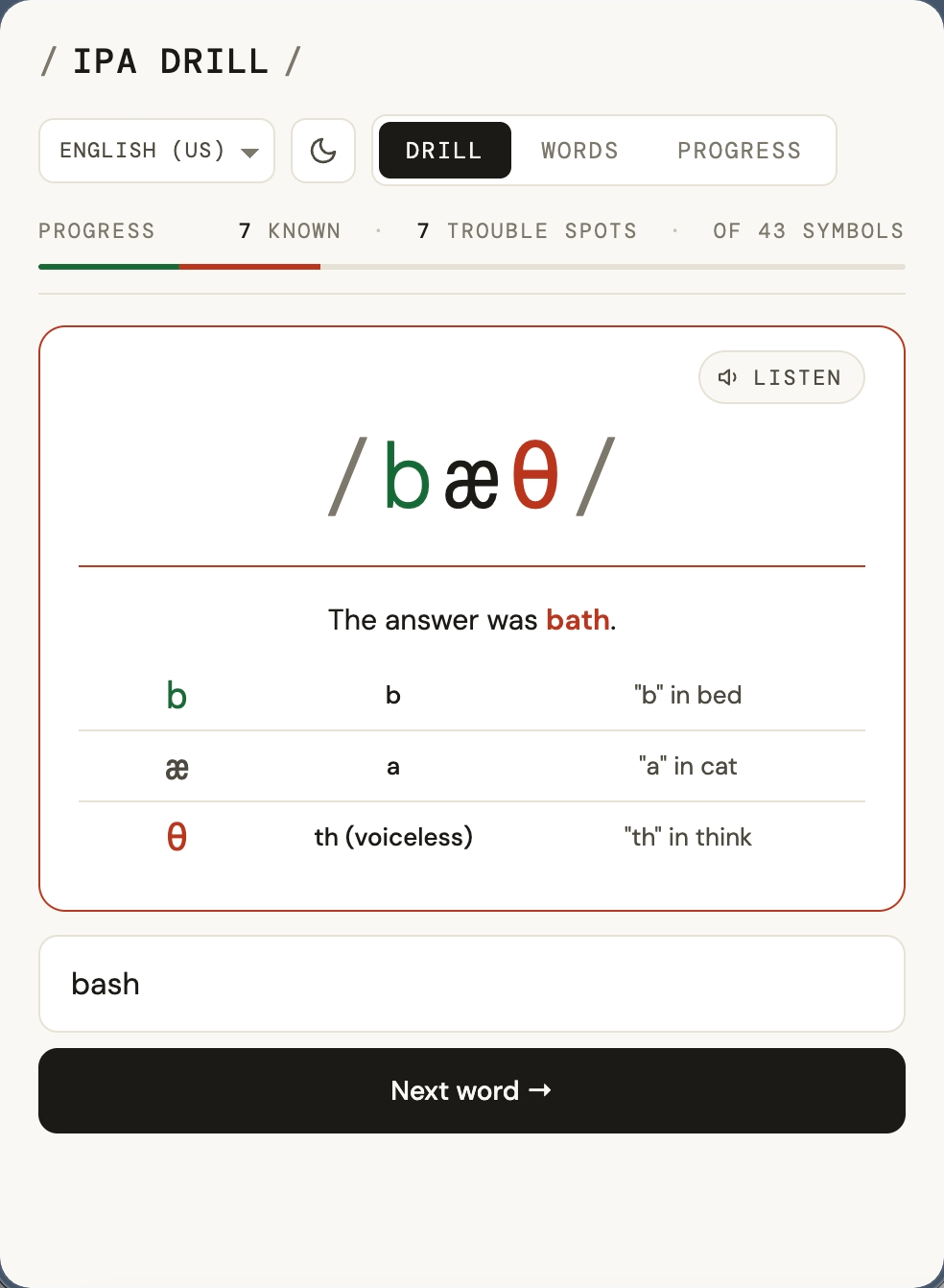
The app shows a word in IPA transcription: I type the everyday spelling. Two attempts. Miss both and the app reveals the answer with a symbol-by-symbol breakdown (name, sound, and an example word). Every part of that loop is a learning-design choice: the typing forces recall instead of recognition, the two attempts leave room to struggle before the answer appears, and the breakdown only appears after the learner has made a real attempt.
Try it yourself:
/tuː/. When you answer correctly, the app echoes your exact word back: “Correct — too.” An earlier version always responded with the primary dictionary spelling, no matter what the user had typed. So if you typed “too” and the app said “Correct — two,” you were right, but it didn’t feel that way. The fix was to reflect back what the user actually typed.Clicking Interaction
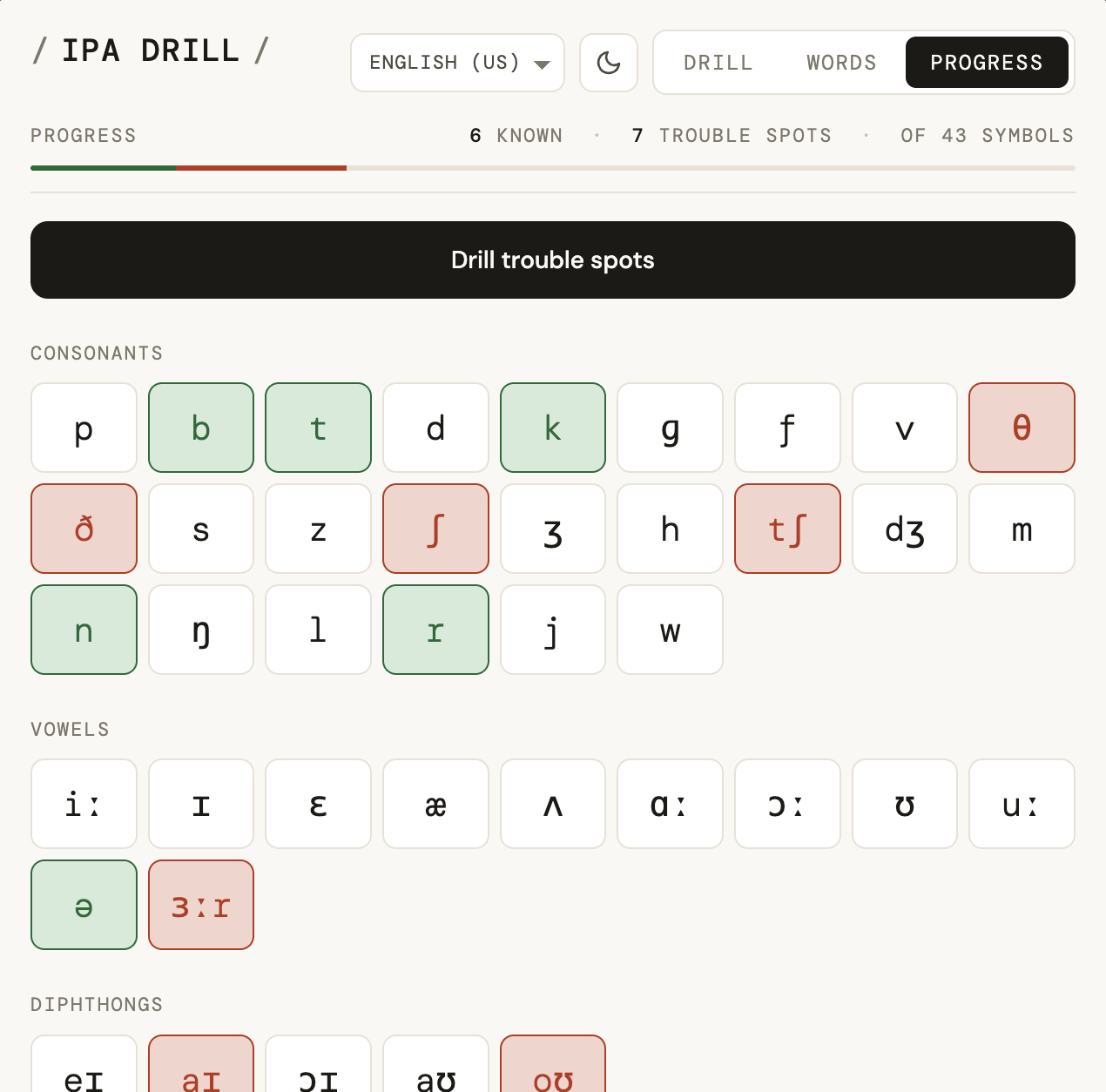
Every IPA symbol in the transcription is a button. Click it to cycle through three states, once more to clear. Tags persist across sessions and carry through the word list, progress counter, and the trouble-spots drill.
App Structure
The app is three views, each doing a distinct job in the learning loop:
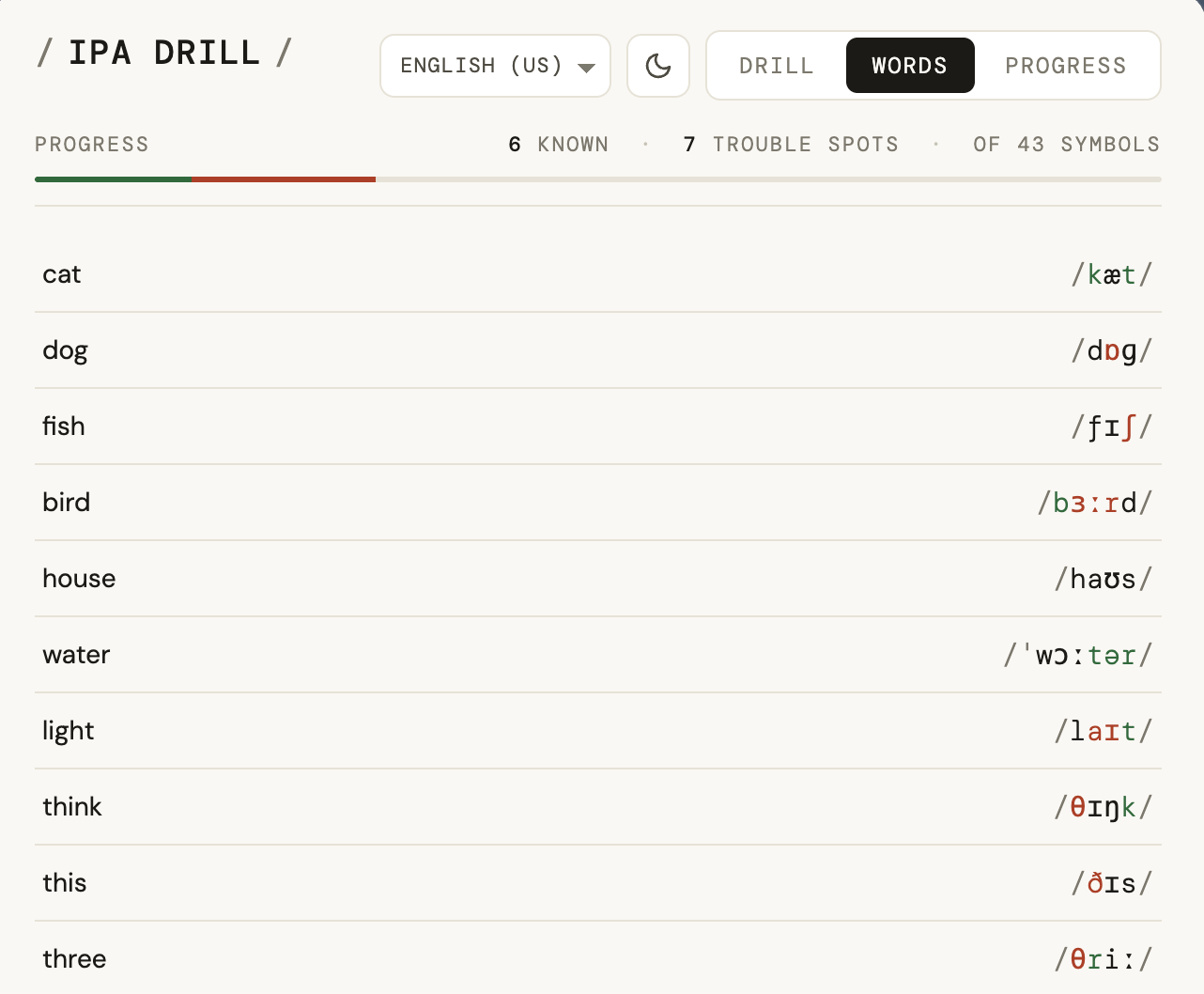
Words view: the active language’s word set, color-coded by symbol state. Language choice and theme persist across sessions.
Each language targets ~3.5 words per symbol — enough that every sound appears multiple times across the list, not just once. English has ~150 words across 43 symbols, with deliberate picks for rare sounds (the “oy” in boy, the “ch” in Scottish loch) and homophone groups: rain, rein, and reign all count for /reɪn/. Italian, French, and Japanese have ~100 words each at the same ratio.
Multi-Language Support
Beyond English, I added French, Italian, and Japanese, languages I’ve actually studied: heard spoken, tried to pronounce, and been corrected on. The same interaction model scales across all of them, but each language needs its own phoneme inventory, word list, valid-answer rules, and independent progress state.
A dropdown in the nav switches between them instantly, and progress is tracked per language: practicing French doesn’t touch English.
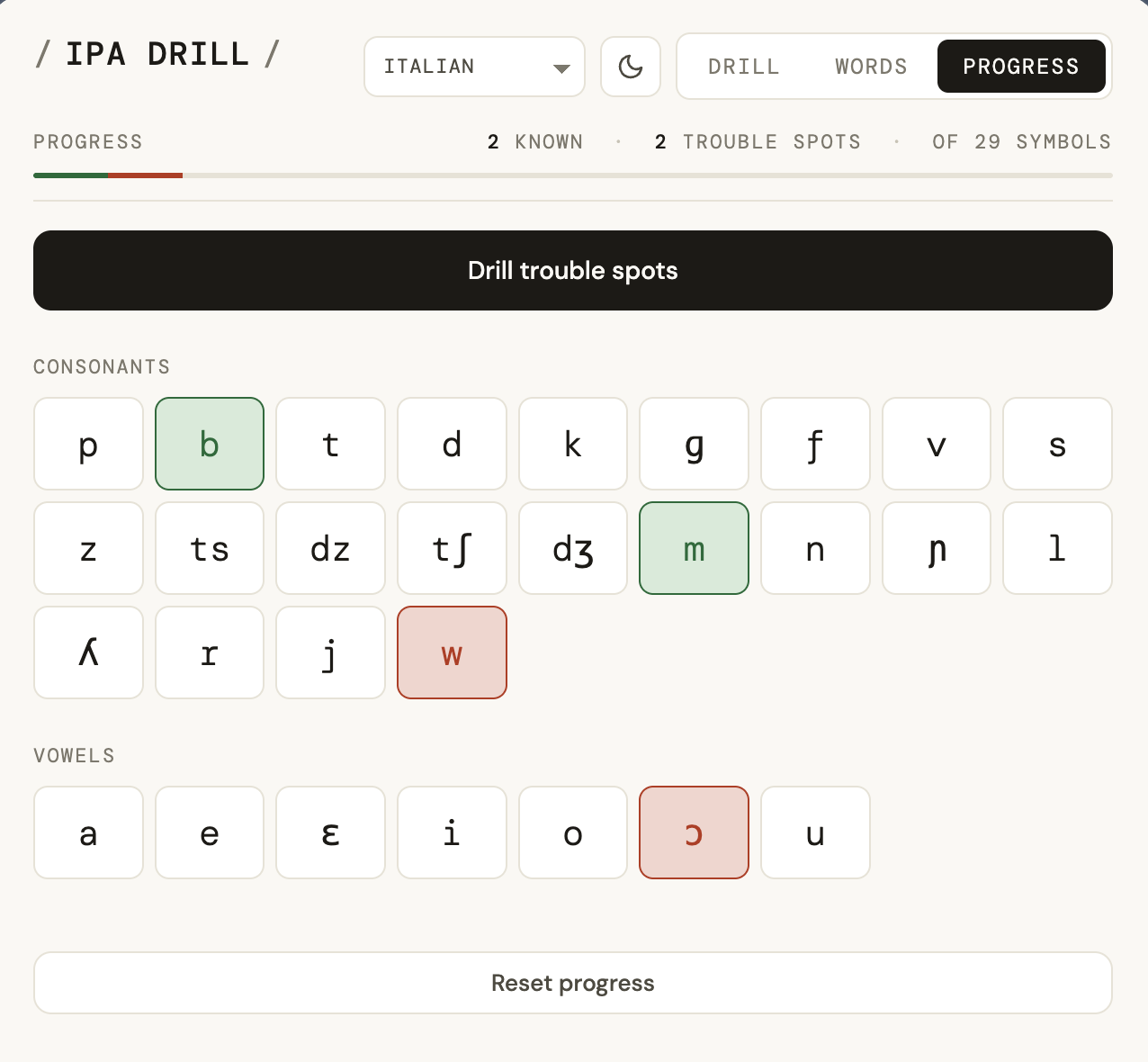
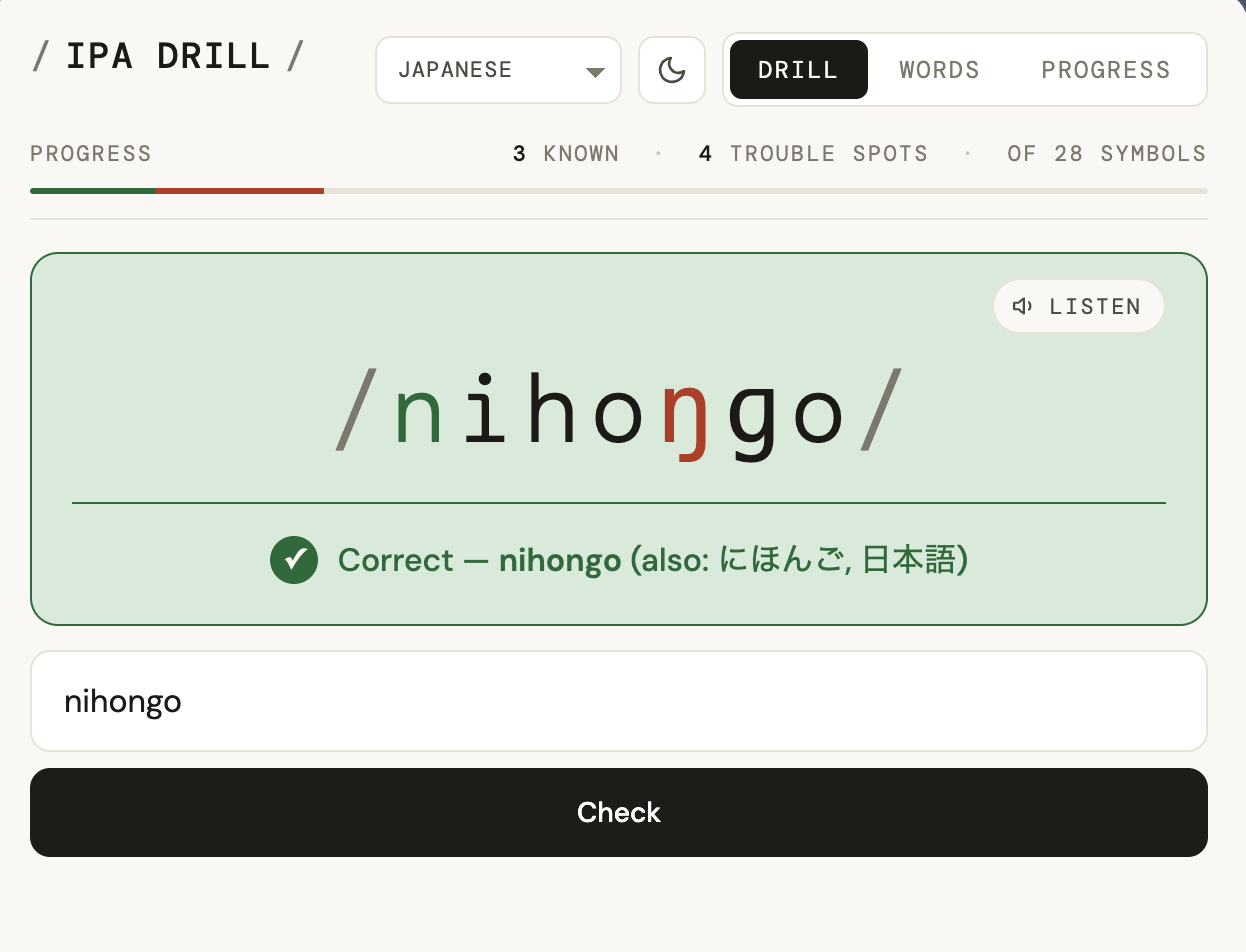
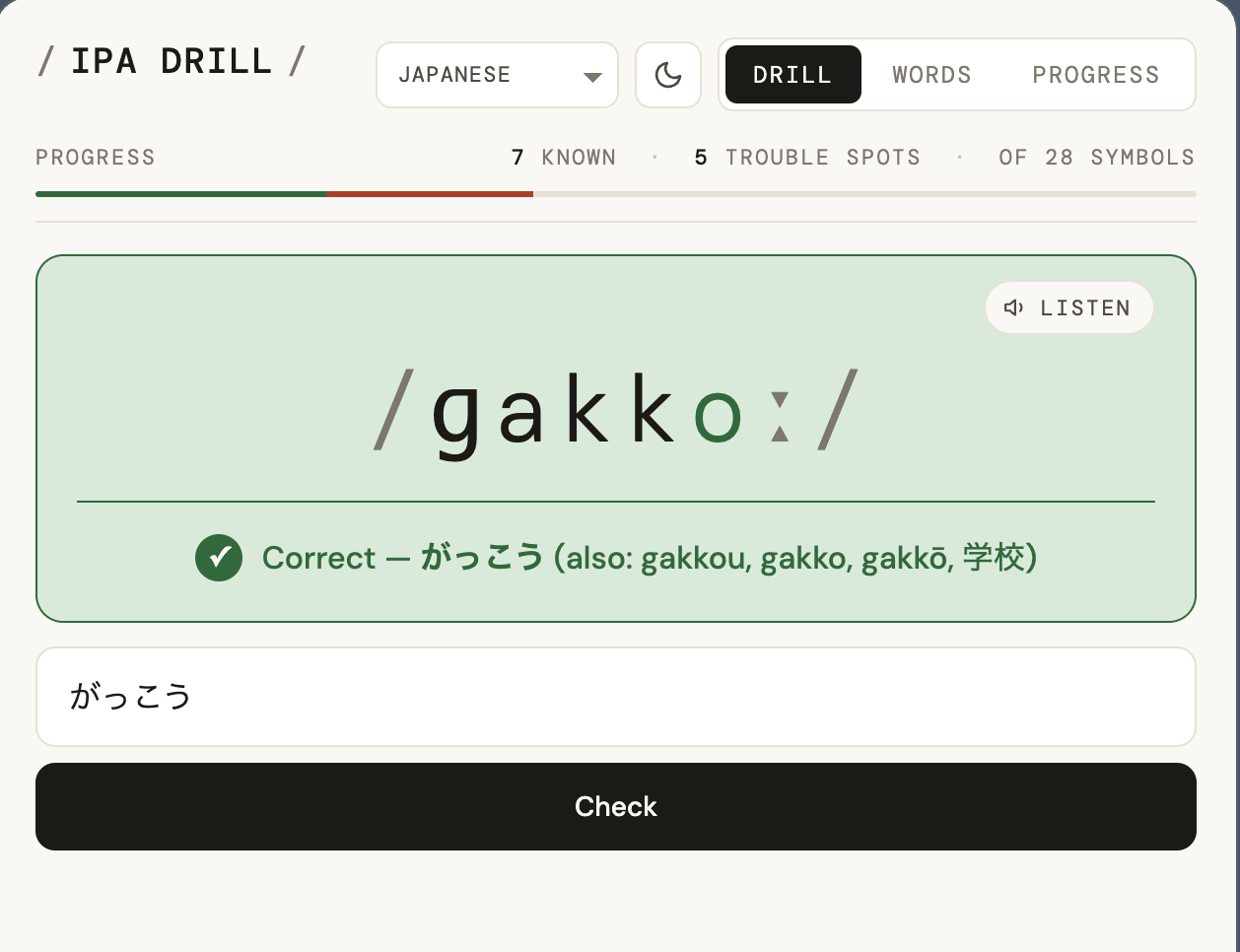
Japanese presented a specific input challenge: the same word can be written in romaji (latin alphabet), kana (phonetic script), or kanji (logographic characters). All variations are accepted as correct answers.
Building with Claude Code
Every iteration of IPA Drill was a conversation. I’d describe what I wanted, watch Claude generate a working prototype in the browser, use it, then feed back what wasn’t right: this feels rushed when I get one right, move the success state inside the card, the slashes shouldn’t share a color with the trouble-spot marker. That loop (describe, build, use, critique) produced everything on this page.
What Claude was good at: turning a rough description into a working artifact quickly, generating design alternates on request, catching edge cases I hadn’t thought of, and handling large refactors (like expanding from English-only to four languages) without breaking existing behavior.
What I had to drive: the product judgment. The learning model, the interaction rules, the core philosophy (the user self-assesses, the app doesn’t grade), what to cut, and the writing throughout. Claude built quickly; deciding whether the direction was right, and when to change it, was the part that didn’t get automated away.
What This Demonstrates
IPA Drill looks simple on purpose. The complexity lives in the interaction rules.
01
Removed Reveal and Skip because retrieval practice depends on attempting to pull an answer from memory before receiving help.
02
Kept symbol knowledge separate from quiz performance because only the learner knows whether an answer reflected recall, uncertainty, or a lucky guess.
03
Preserved one interaction model while defining language-specific sound inventories, word sets, valid spellings, writing systems, and independent progress.
04
Used Claude Code to produce and revise working software while retaining responsibility for the learning model, interaction rules, product scope, writing, and decisions about what to remove.
Related work
A Korean learning tool that breaks subtitles into labeled grammar maps, grounded in a published curriculum so the system's output stays checkable.
A capture tool and mobile study app that pull Japanese subtitles off the screen as they appear, using Claude to extract vocabulary while I decide what to learn.