Role
Product strategy, interaction and AI-behavior design, curriculum modeling, implementation directed in ChatGPT Codex.
Project · 2026 · Updated Sept 7
Sentence Map turns photographs of Korean subtitles into visual maps of how their grammar fits together. I designed it to reveal a sentence's structure before its detail, and to ground curriculum coverage in published beginner materials rather than asking AI to estimate difficulty.
Role
Product strategy, interaction and AI-behavior design, curriculum modeling, implementation directed in ChatGPT Codex.
Status
Working personal prototype, refined through 123 saved Korean sentences. Saved Words currently contains 224 study items: 126 New, 60 Learning, and 38 Known.
Working outcome
Turns photographed subtitles into grammar maps and saves selected words and grammar points for later study.
Evidence base
1,243 entries from four beginner Korean textbooks published by the King Sejong Institute, covering Sejong 1A–2B with the textbook level and page recorded for each entry.
What this project shows
Applied AI
AI turned a photographed subtitle into a structured grammar map.
Human–AI Interaction
The app tracked what I encountered; I decided what to study and what I knew.
Workflow Design
Screenshots were blocked, so I designed a phone-first capture flow.
Information Architecture
I organized sentence structure, curriculum, and Study status for quick scanning.
Learning Systems
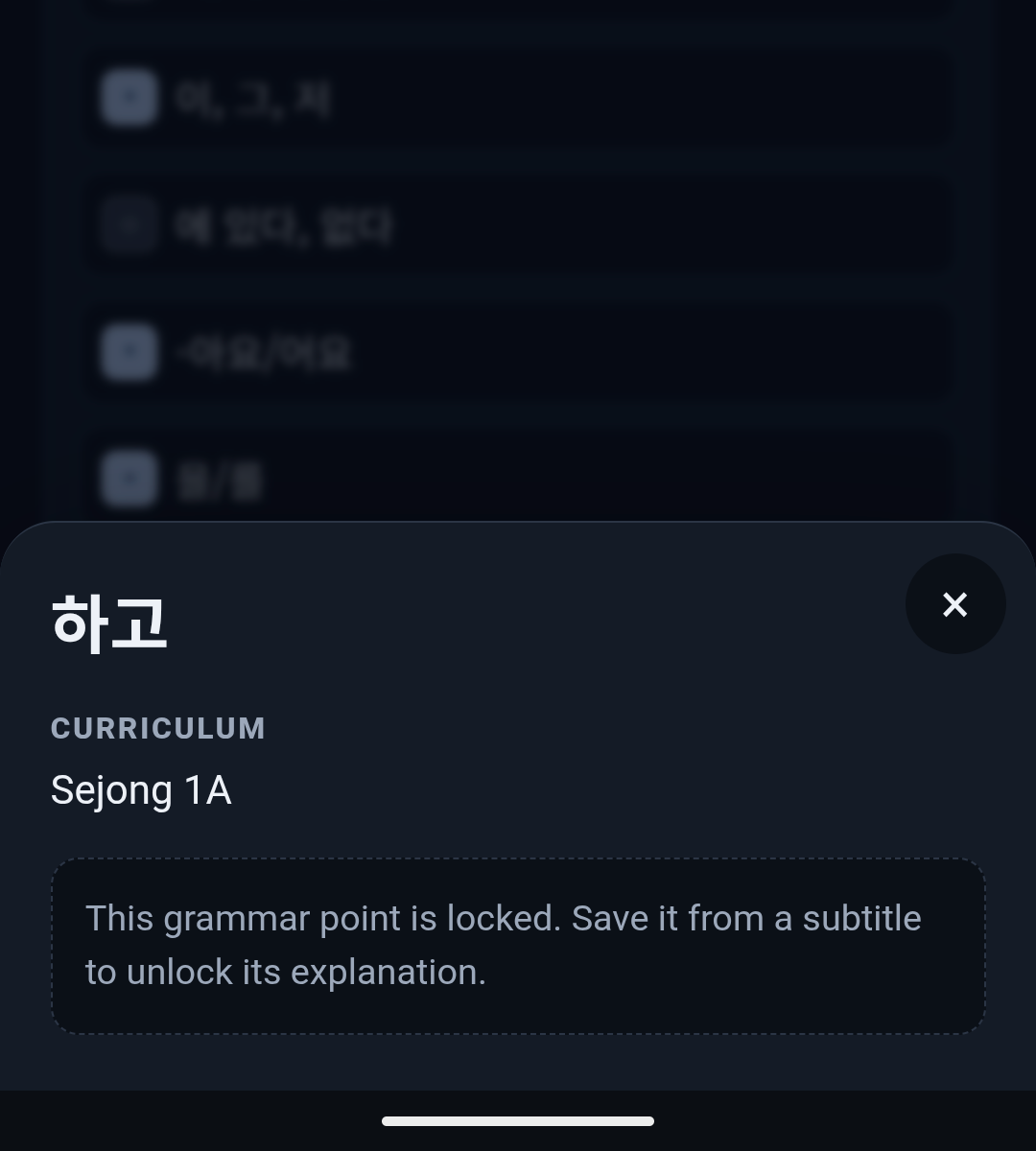
Grammar explanations appear only after I encounter a point and choose to study it.
Prototyping
I tested each pass by studying with it, then fixed what slowed me down.
The problem
After several years of self-studying Korean on and off, I could read the letters and follow how a sentence was put together. What stopped me was vocabulary. A subtitle would go by with two or three words I didn't know, and by the time I worked out what they were, the scene had moved on.
I already know Japanese, which gave me a useful starting point: Korean and Japanese both use subject–object–verb order, so I could recognize a Korean sentence's shape even when I didn't know what the words meant.
That led to the first design objective: show me the sentence structure, then let me explore the parts I don't yet understand.
From subtitle to sentence map
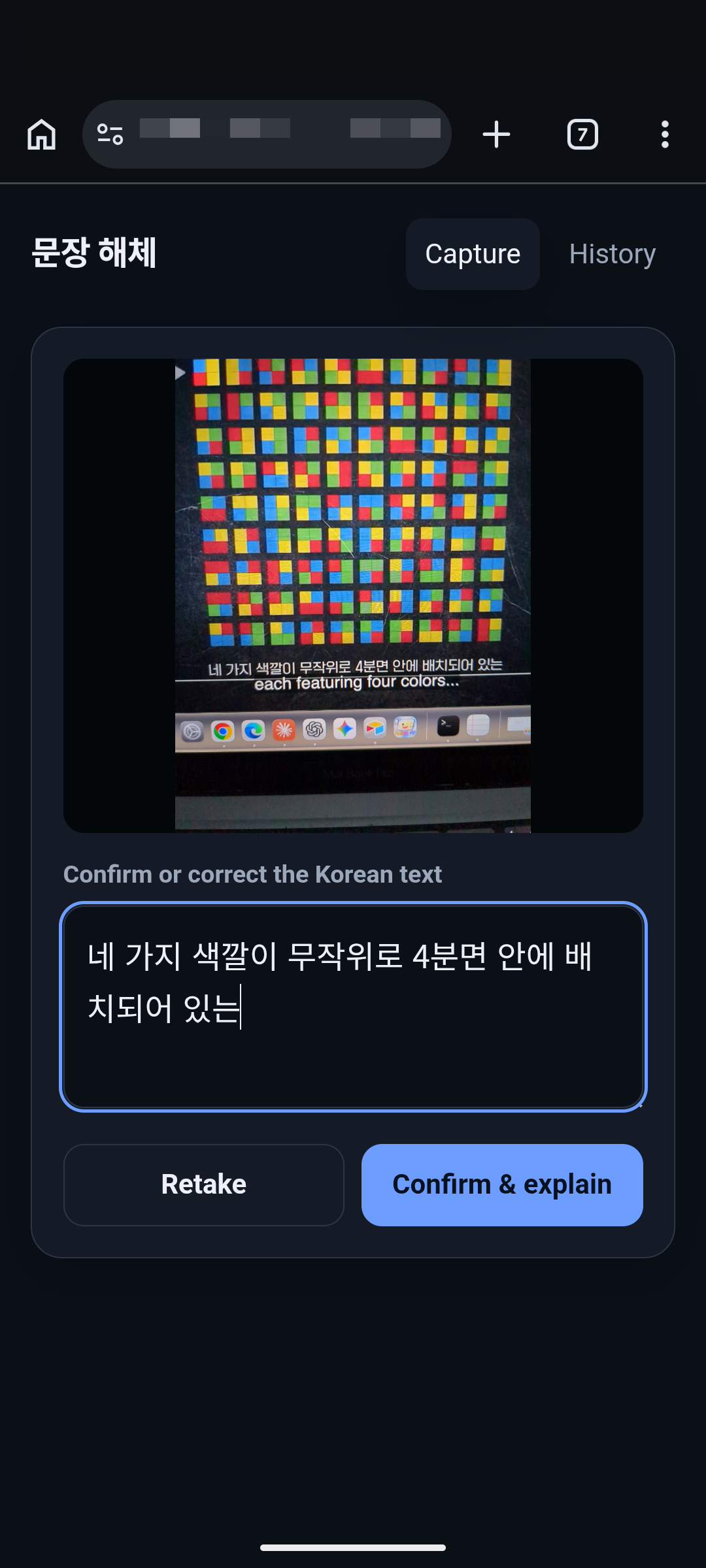
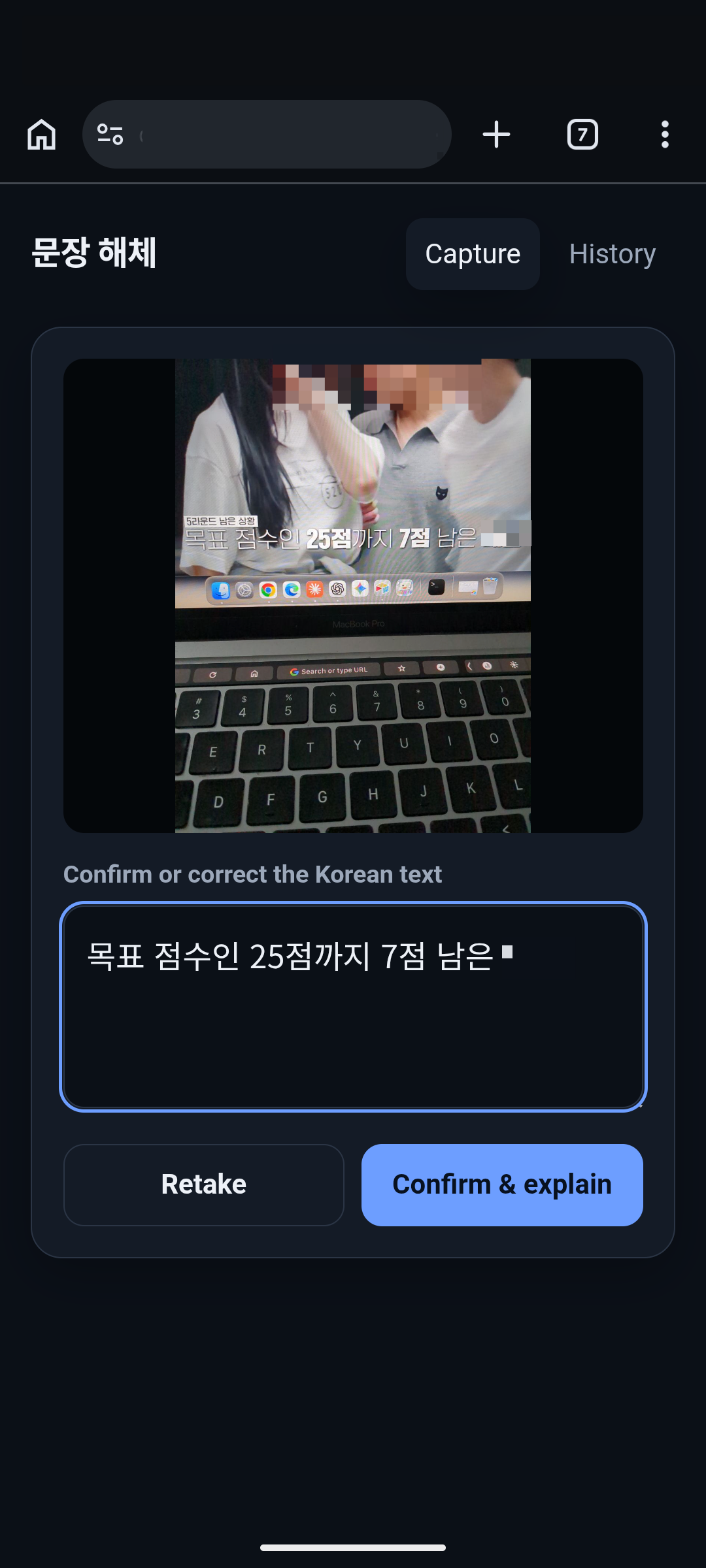
The streaming sites I use for Korean shows and movies block screenshots because of digital-rights protections. I had built a screenshot-based tool for Japanese TV, Jimaku Catcher, but it only works because the Japanese streaming site I use permits screenshots. For Korean, I needed a different flow: notice a subtitle, pause the show, pick up my phone, and photograph the screen.
Codex handled the work in two stages:
Codex's analysis worked, but its long, unstyled report made it hard to see how the parts fit together. I needed a structured view I could scan and explore one part at a time.
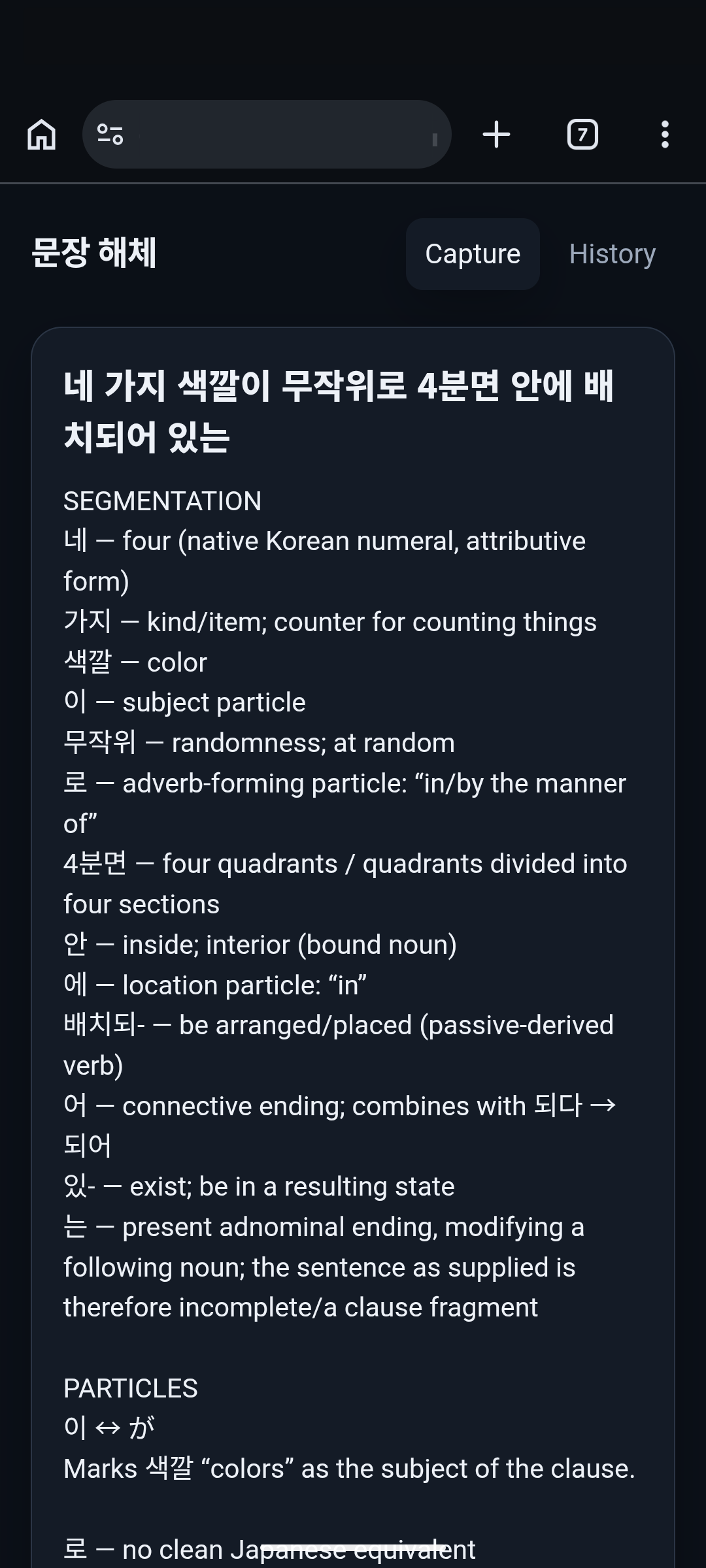
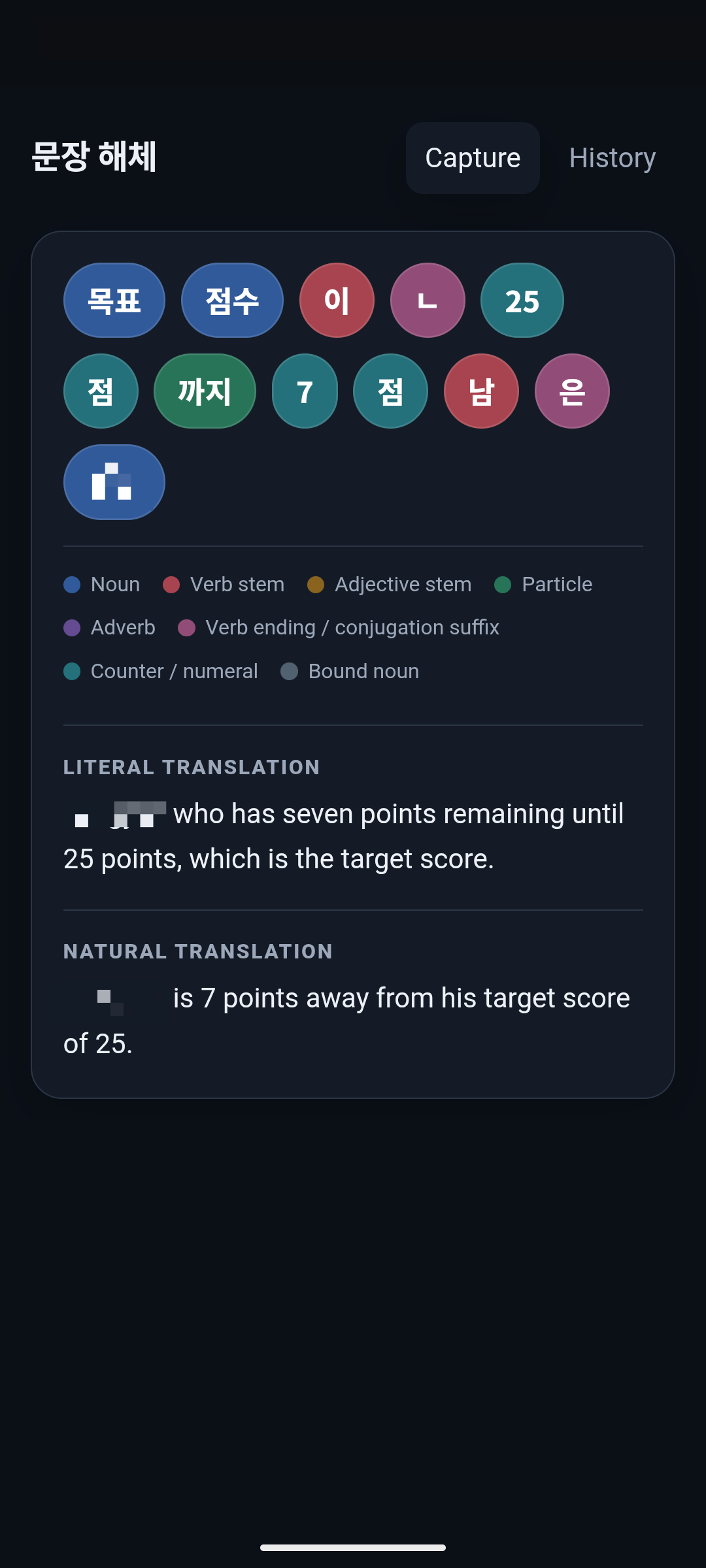
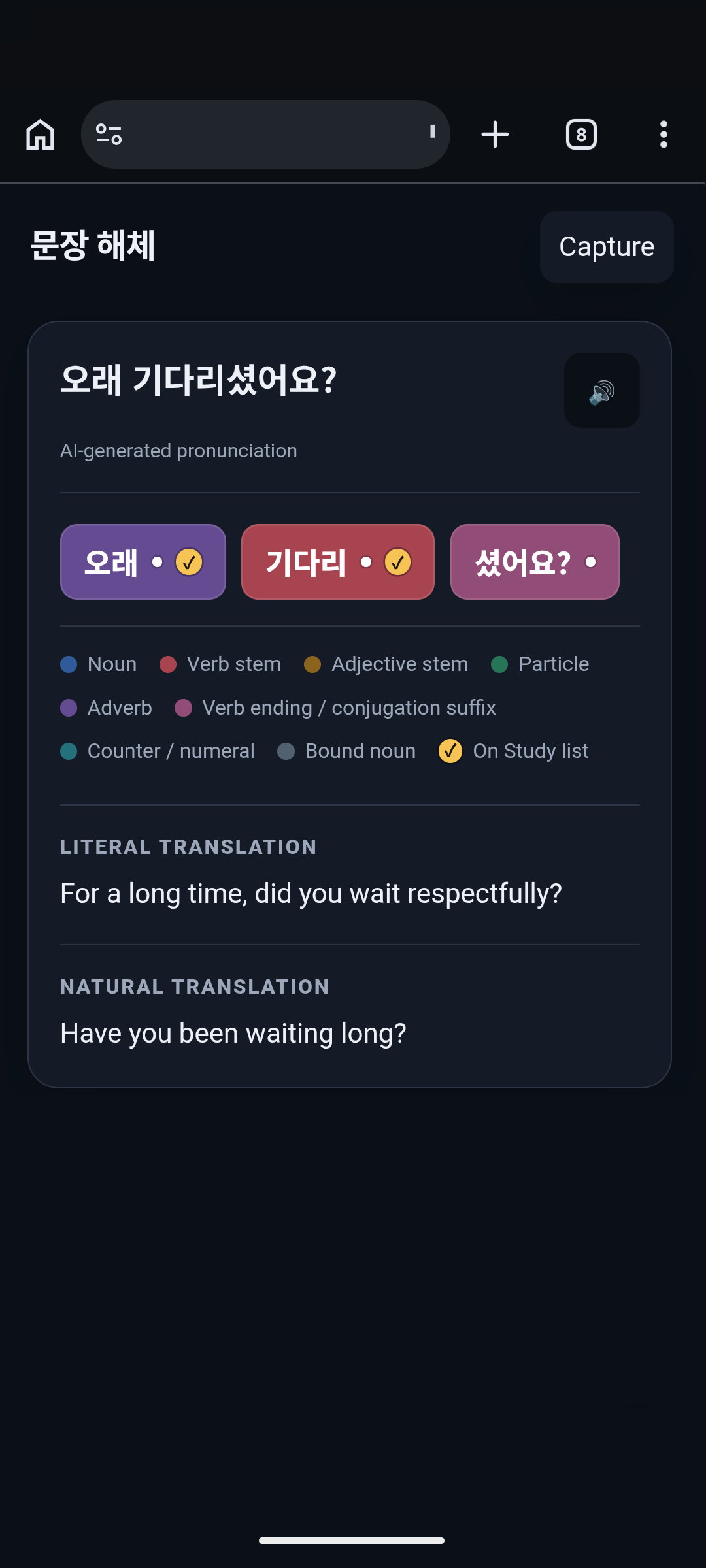
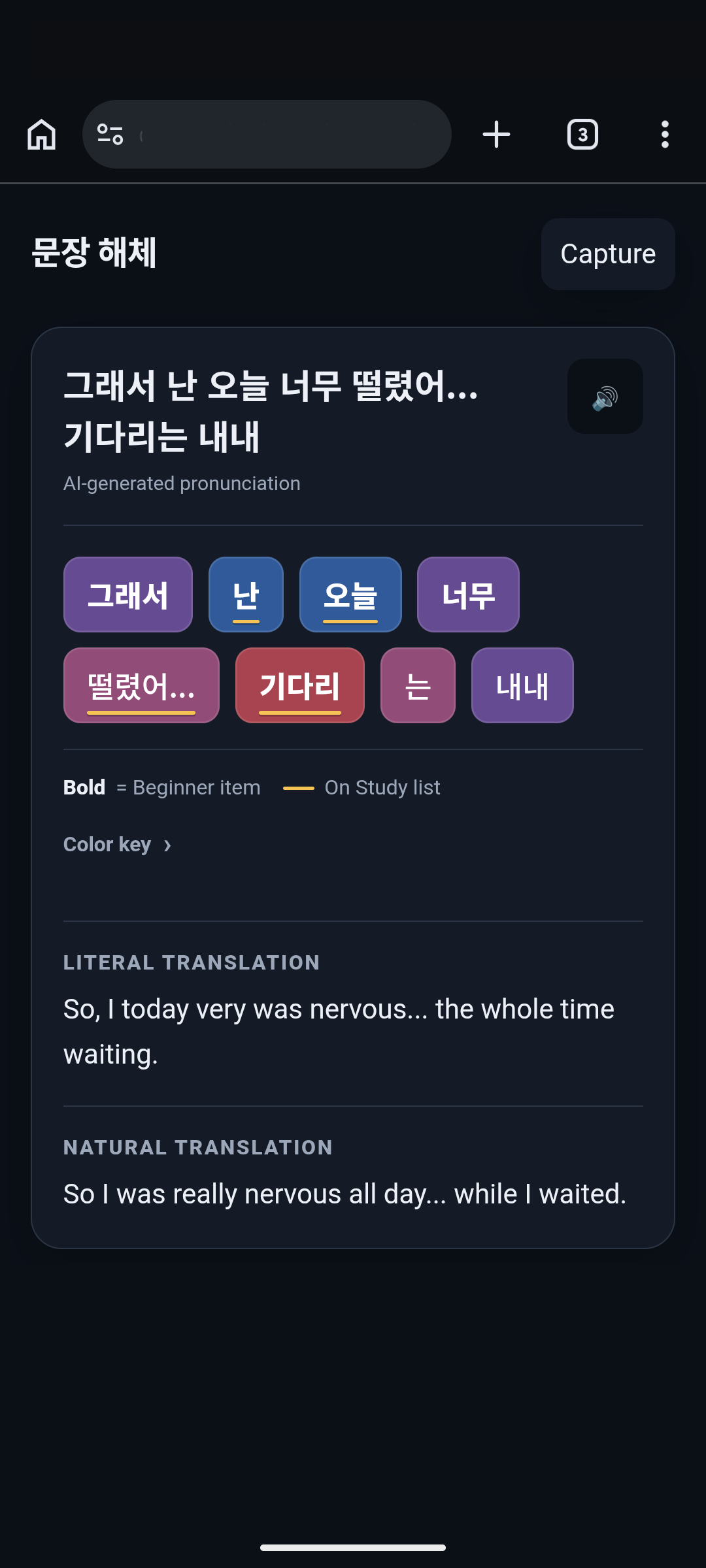
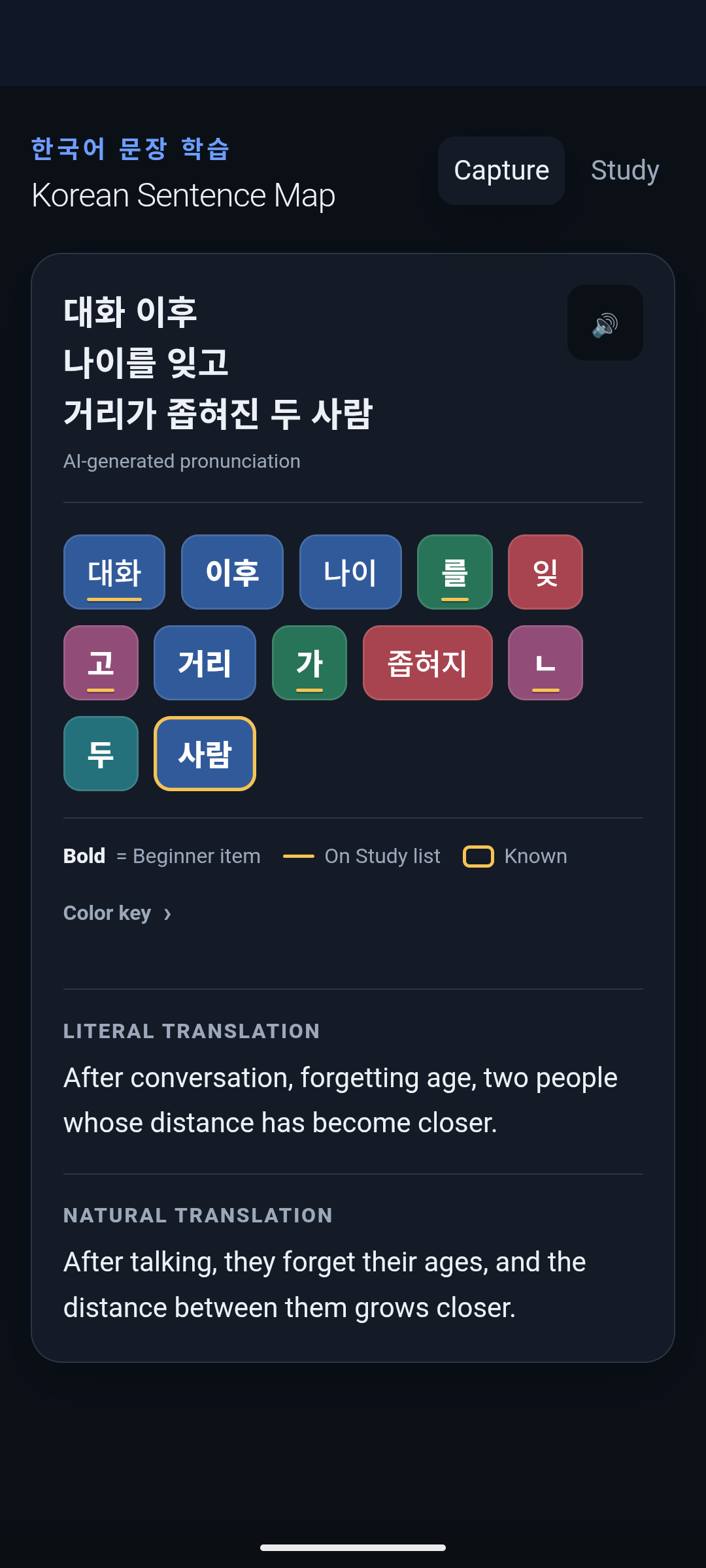
To turn the analysis into a usable Sentence Map, I defined three presentation requirements: color-code each part of the sentence by its grammatical role, show both a literal and a natural translation, and keep the sentence readable as I explored individual words.
A learning reference
Because I was still learning the fundamentals, I needed the Sentence Map to distinguish grammar points in the beginner curriculum from those aimed at more advanced learners. I wanted to ground my grammar study in what I would actually encounter in a beginner-level class. That led me to the King Sejong Institute, a Korean government-backed language-education organization. Its four beginner textbooks were freely available as PDFs, giving me a published reference for curriculum coverage rather than an AI estimate of difficulty.
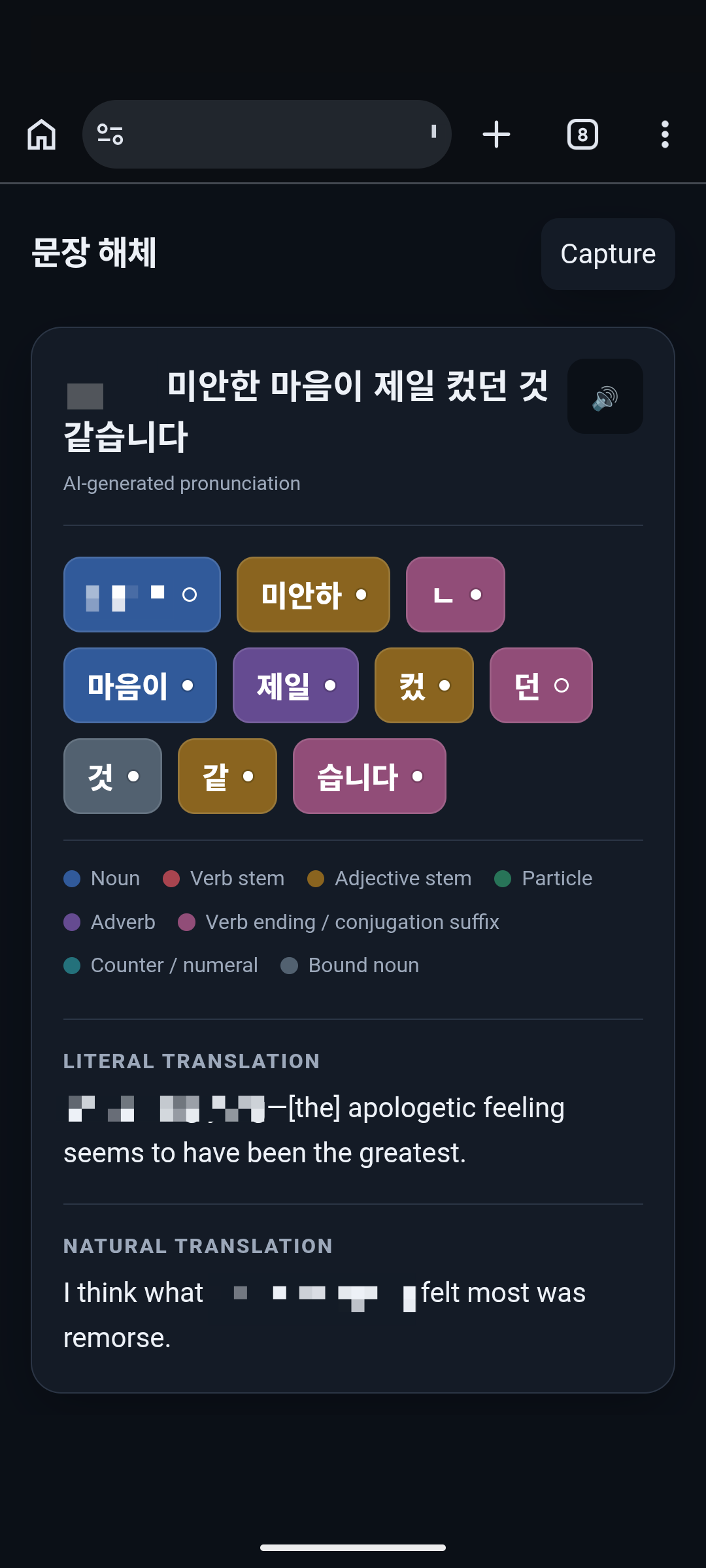
One part at a time
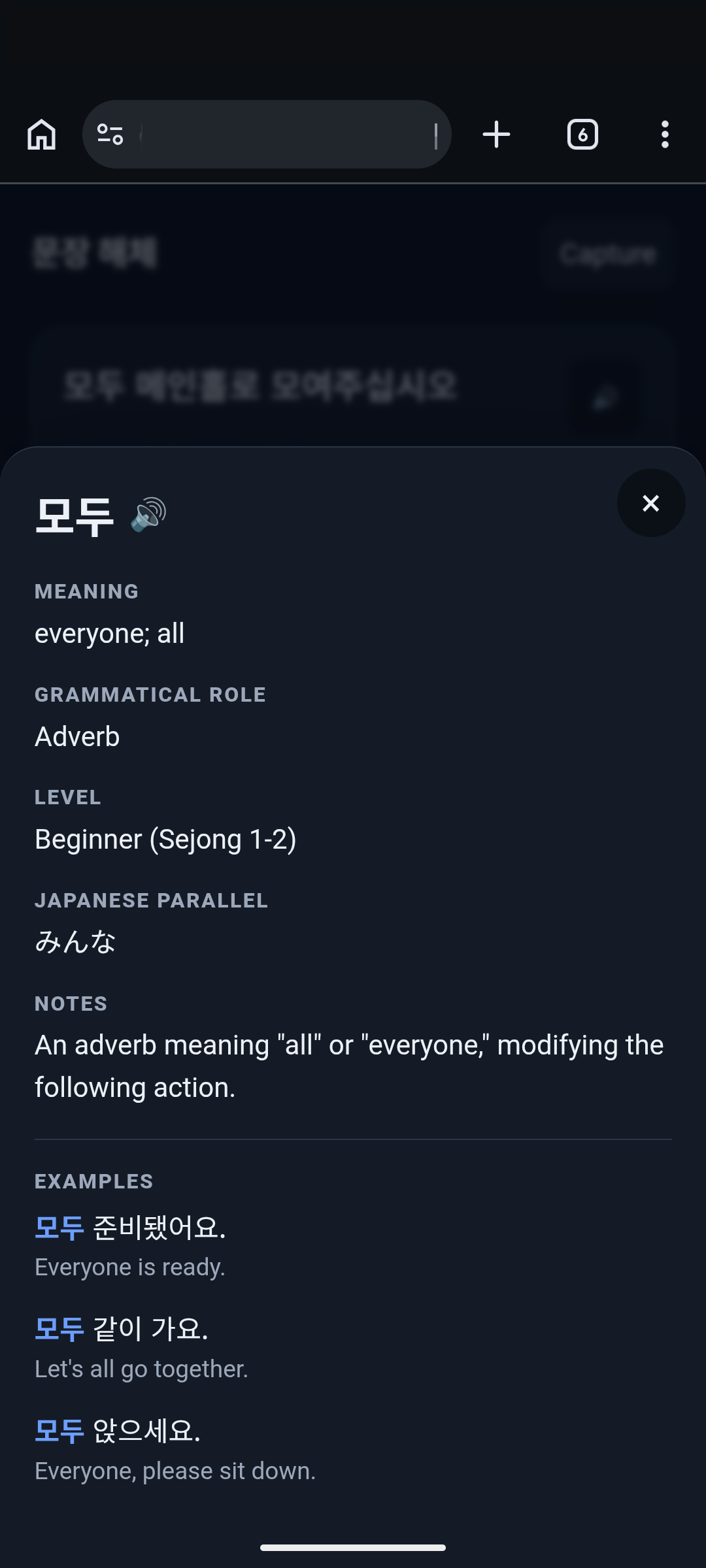
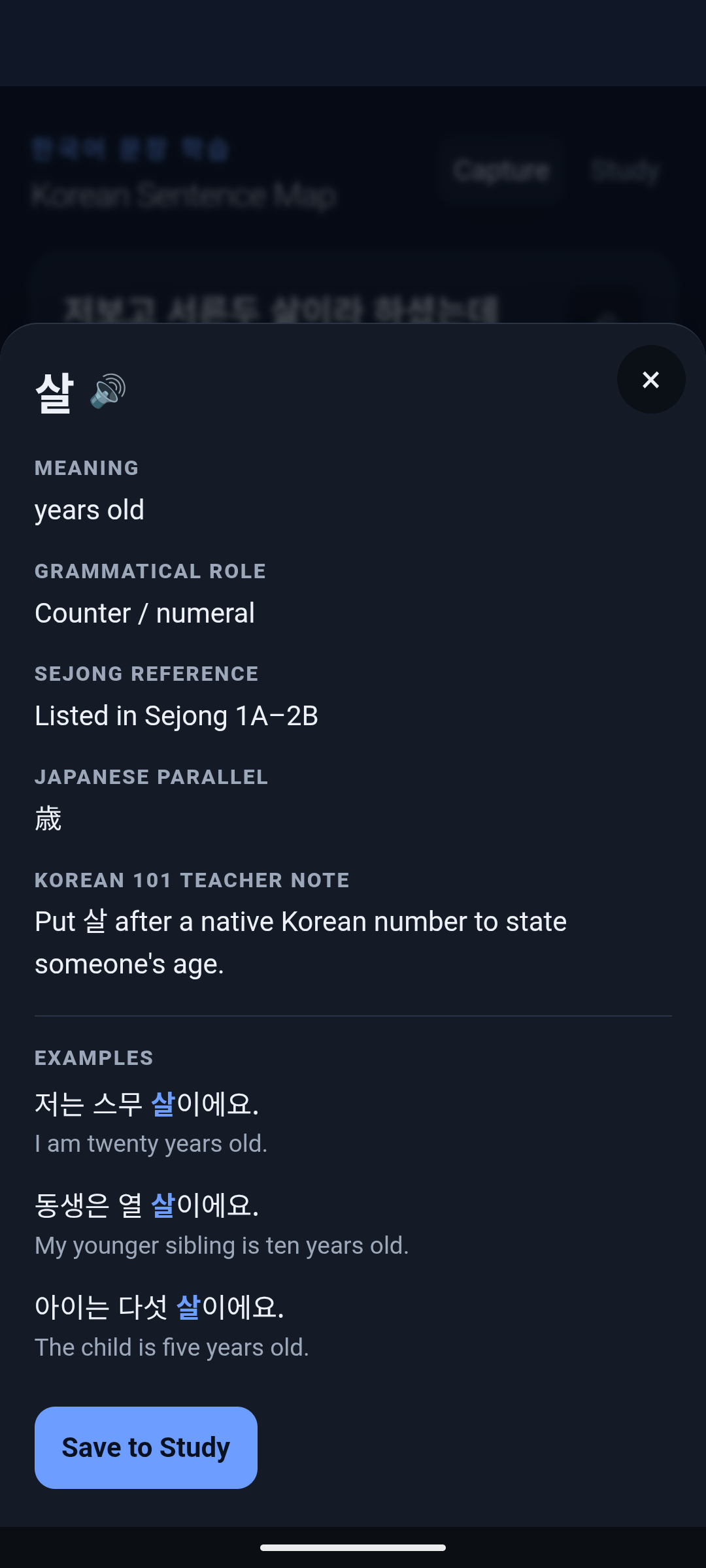
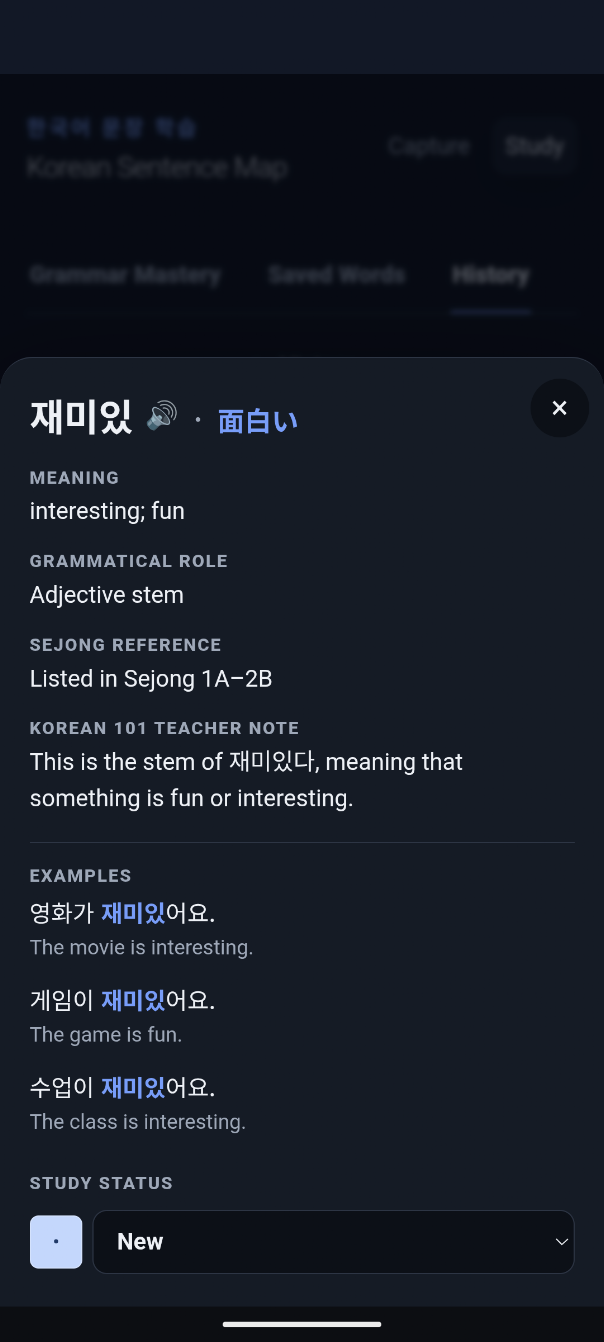
Once I could see which words were within beginner range, I needed more context for an individual word. Tapping a word opened a detail panel with the information I needed:
Keeping the map readable
Once I was able to choose words to 'Save to Study', the Sentence Map also had to reflect that choice intuitively, at-a-glance.
When I added check marks to denote 'Save to Study' status, I quickly realized that the check marks and the filled/unfilled circles made it difficult to scan the words in the Sentence Map.
The solution made both signals clear while improving the readability of the sentence: bold type for curriculum coverage and a gold underline for Study status.
Making saved material useful
At first, clicking 'Save to Study' only stored the term in a database. It gave me a place to collect material, but not a way to study it later.
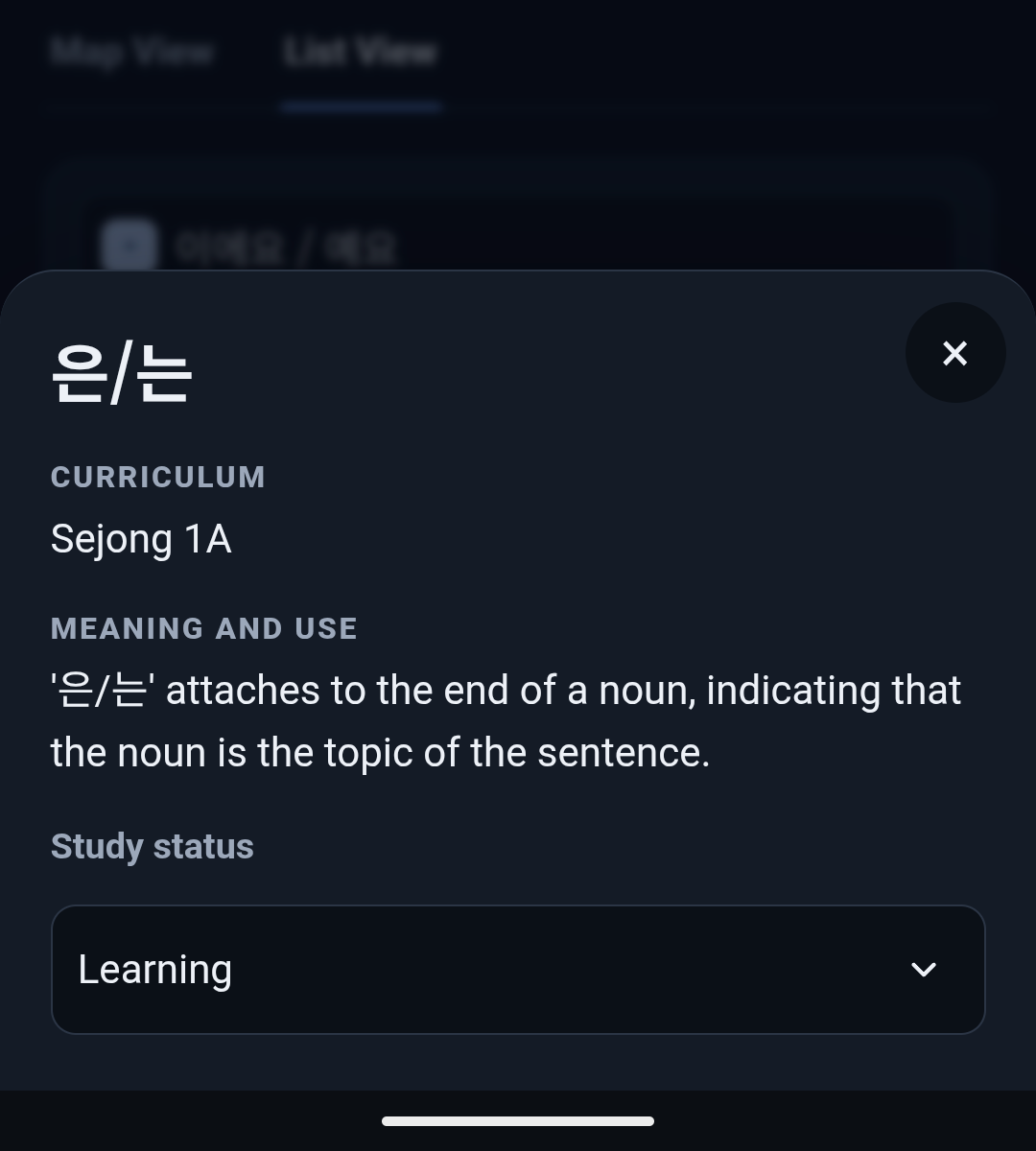
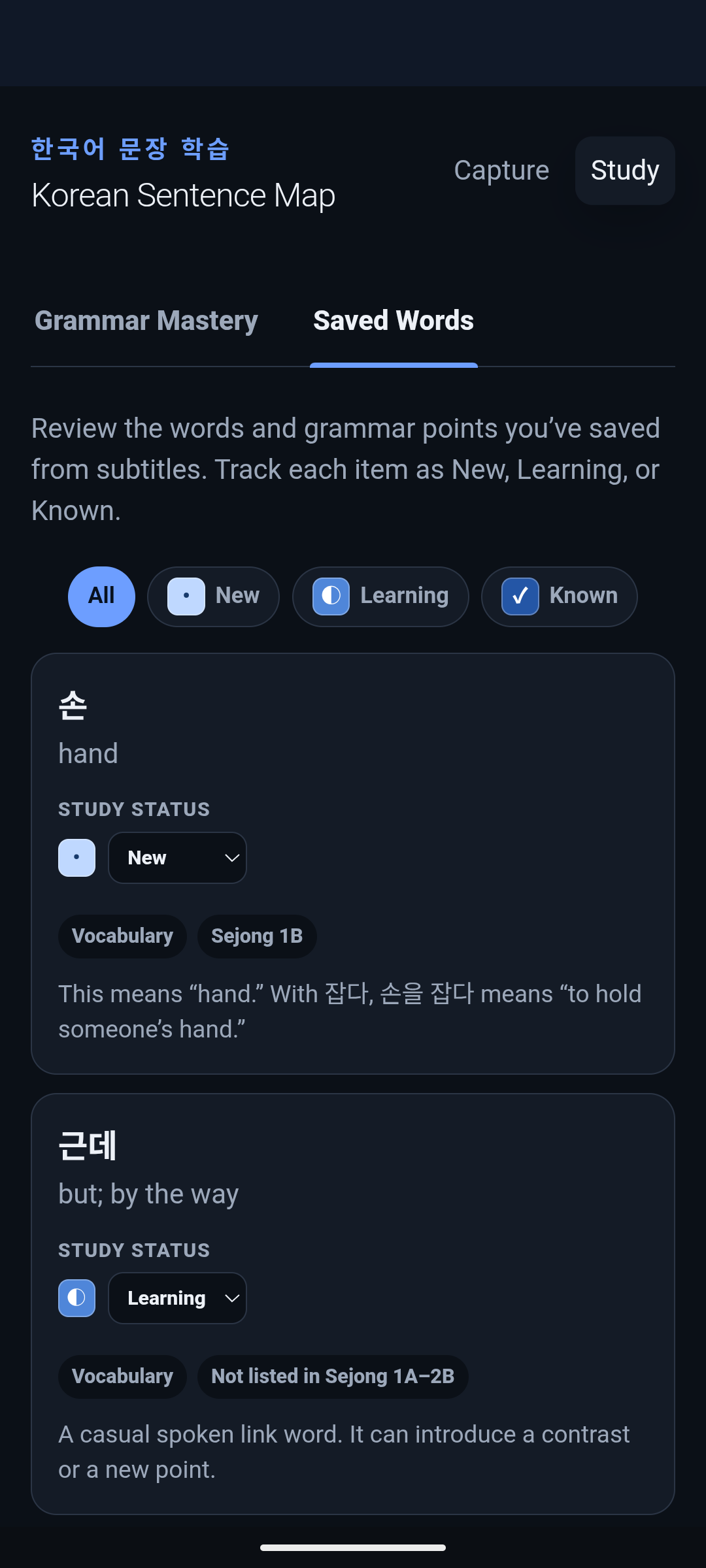
Study has two tabs: Grammar Mastery for grammar points from the Sejong 1A and 1B curriculum, and Saved Words for everything else I choose to 'Save to Study'—mostly vocabulary, but also grammar points outside that curriculum.
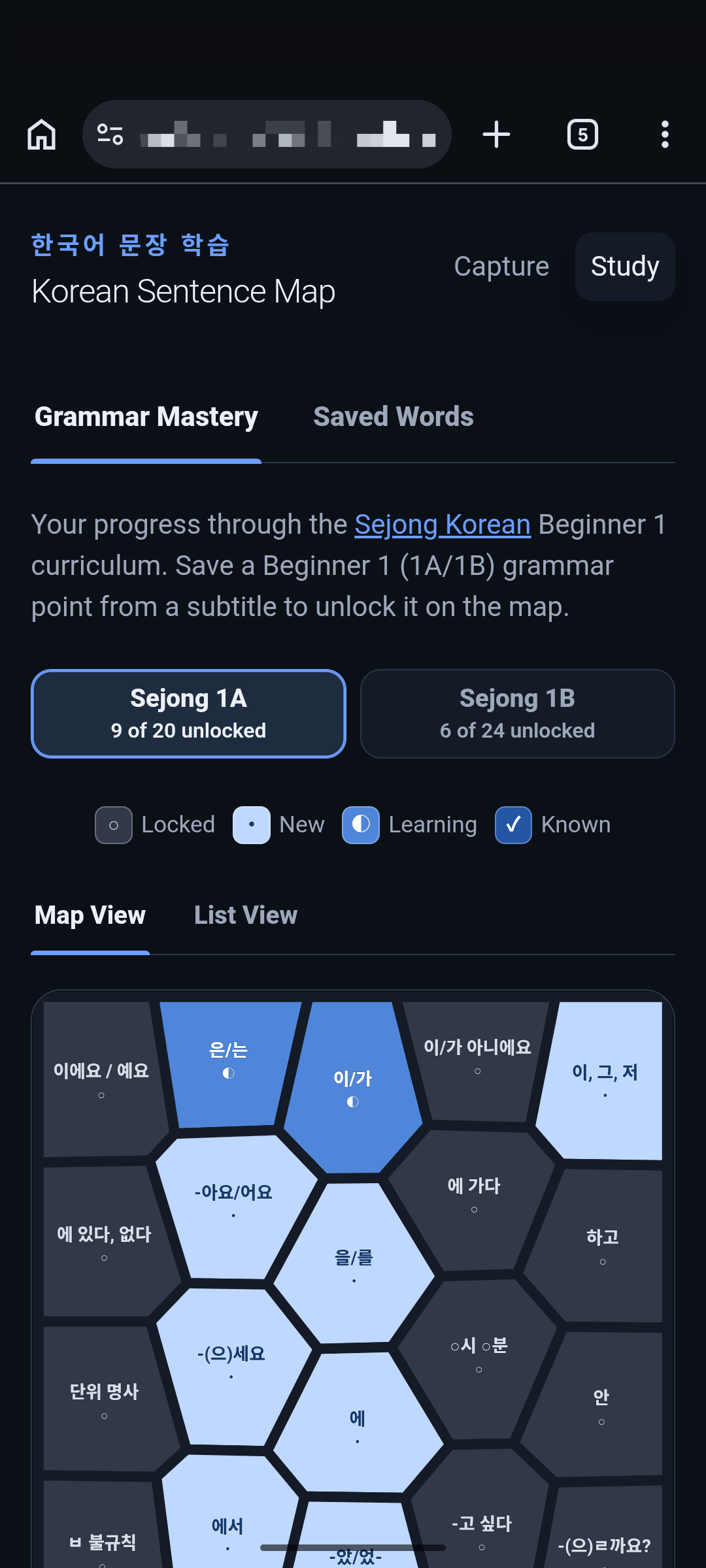
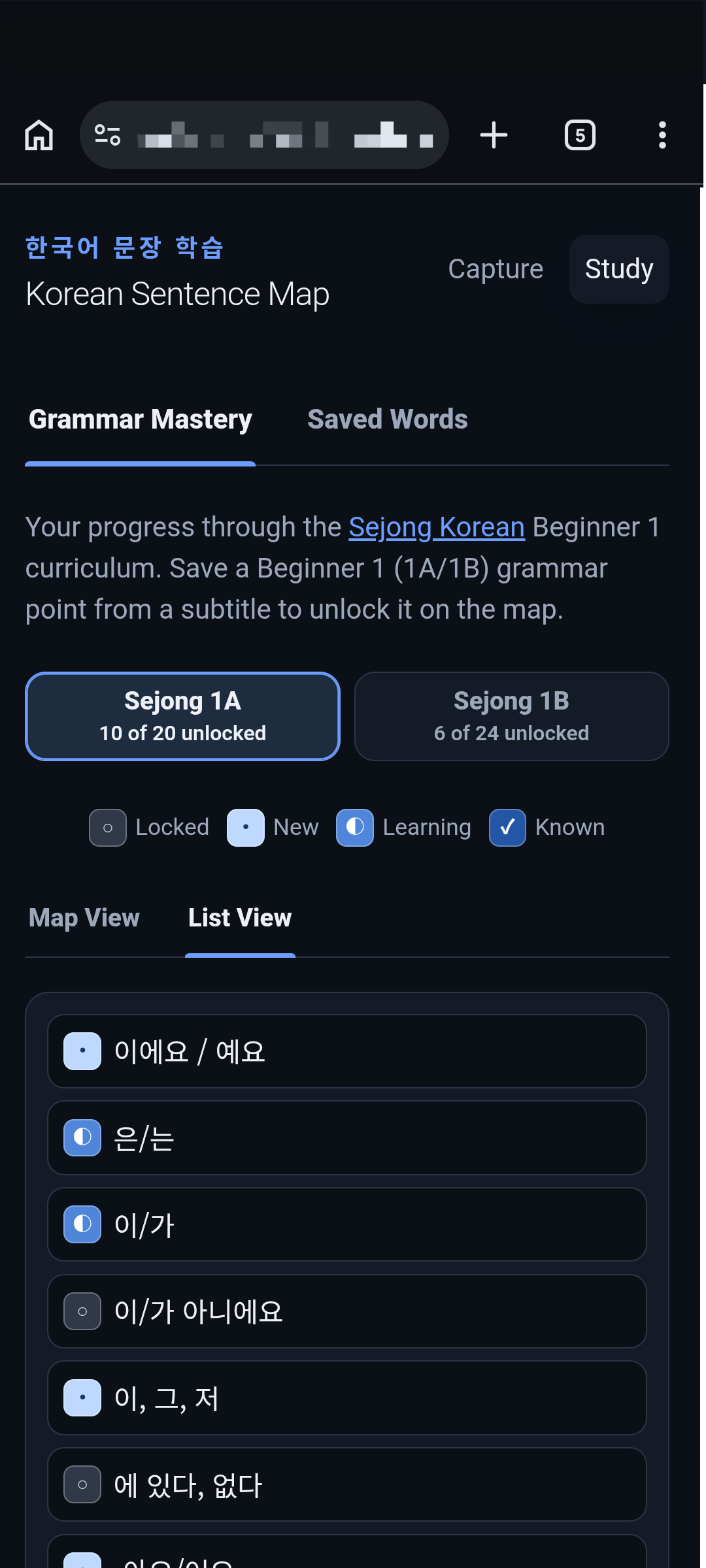
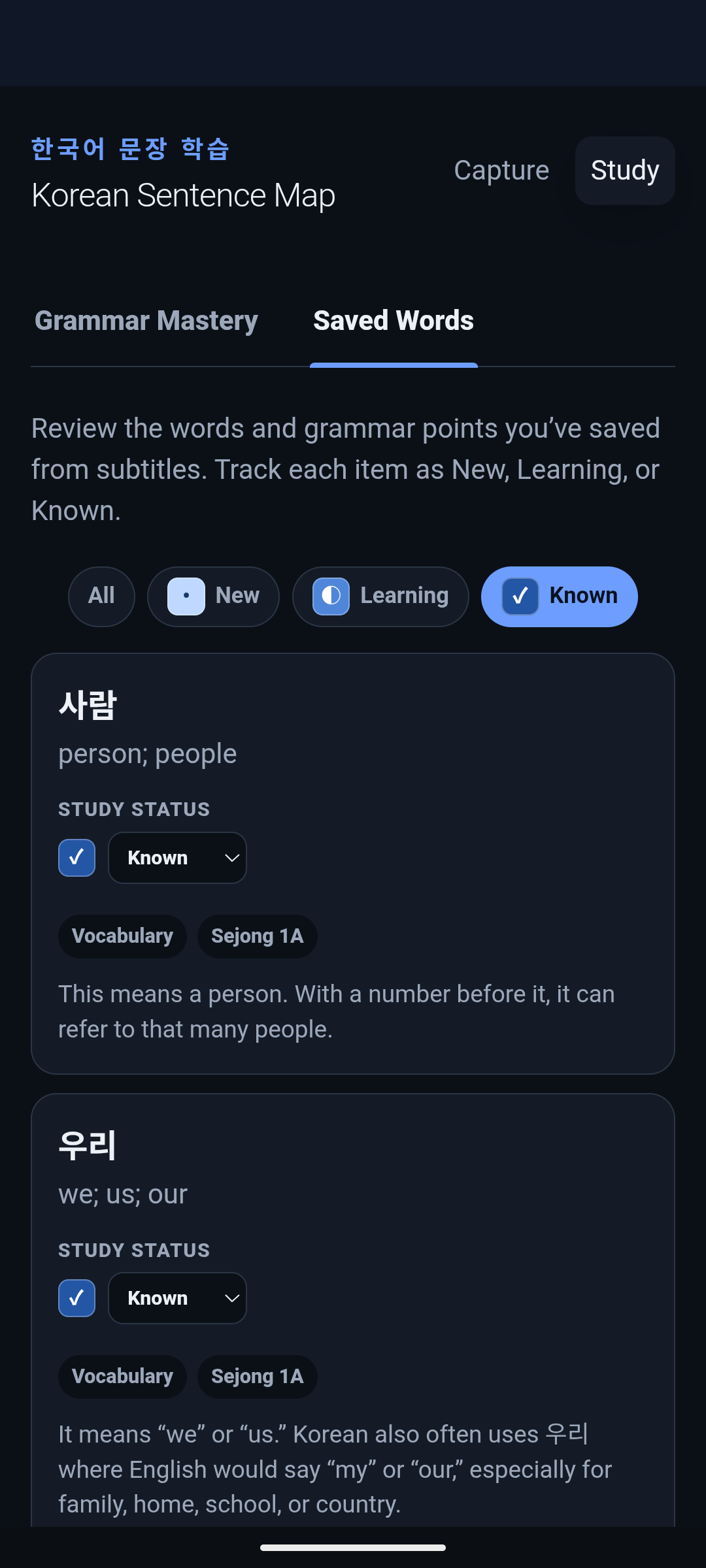
Both Grammar Mastery and Saved Words use New, Learning, and Known to track study status. Grammar Mastery also has a Locked state for curriculum points I haven't encountered in a subtitle yet.
GRAMMAR MASTERY
Grammar Mastery turned the Sejong curriculum into a way to organize saved grammar points and track my progress through the 1A and 1B levels; 2A and 2B are on the roadmap. Map View showed the overall learning landscape; List View made individual grammar points and their Study status easy to scan.
SAVED WORDS
With the two tabs established, Saved Words became a practical queue for reviewing the other terms I had chosen to 'Save to Study'— mostly vocabulary, plus grammar points outside that curriculum.
Marking something as 'Known' was reflected on the Sentence Map, too: I added a gold border to those words.
What this demonstrates
The system combines a photographed subtitle, an AI extraction step, and a source-backed study record. The design work was deciding what the app could determine from evidence, what I needed to decide, and how much of that reasoning to show in the interface.
Future directions
'Save to Study' builds a queue of grammar and vocabulary I chose deliberately. The next step is retrieval practice: prompts that bring selected material back without deciding what counts as progress. Only items I have marked Learning would enter the review flow, and a review pass would not change an item's status on its own.
The source catalog already covers Sejong 1A–2B; Grammar Mastery currently includes only the 44 grammar points in Beginner 1A and 1B. I want to extend it through 2A and 2B so a new subtitle grammar point has a place on the same 1A–2B roadmap—and so the study system covers the same range the Sentence Map already marks.
Some grammar points need more than a short panel note. I want an intentional path from a saved grammar point to supporting Sejong material, with detailed explanations and examples available on demand rather than loaded into the first view.
Related work
A capture tool and mobile study app that pull Japanese subtitles off the screen as they appear, using Claude to extract vocabulary while I decide what to learn.
A multilingual recall tool for learning IPA that lets the learner—not the app—decide what they know.