Work · 2016–2022
Liberty Mutual Insurance
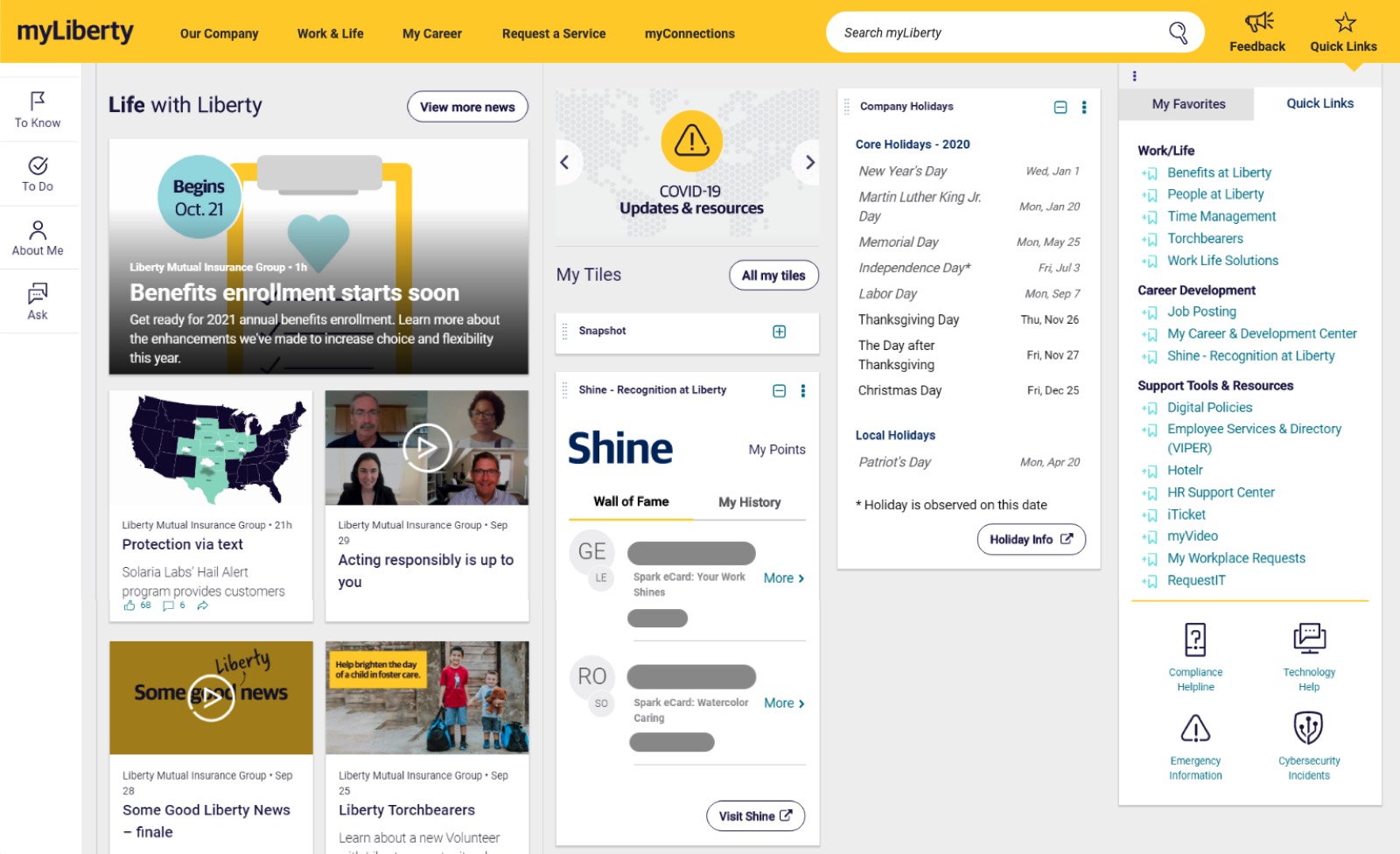
I spent six years leading information architecture, user research, and interaction design for myLiberty—Liberty Mutual's enterprise intranet, used by 45,000+ employees across eight global markets. During its SharePoint-to-Drupal rebuild, I established the site structure employees used to find information and 400+ content editors used to rebuild and maintain content. After launch, navigation support tickets went from hourly to zero.
Context
A decade of content sprawl, and nobody could find anything
myLiberty had grown organically over 10 years: thousands of pages, hundreds of content editors, no shared structure, no placement rules, and no naming standards. Search had become the primary navigation mechanism, and it was absorbing failures the site structure should have prevented. Employee feedback about search was consistently negative.
The trigger was a SharePoint-to-Drupal platform migration. 400+ editors couldn't rebuild their content until a structural foundation existed: the IA had to be in place before any of them could start.
Research approach
Diagnosing the structural problems before designing the solution
Used a mixed-methods approach: IA-specific research methods to surface employee mental models and validate the proposed structure, layered with existing search analytics and support ticket data to diagnose where the current system was already failing employees.
Together, the methods covered different levels of evidence: card sorting shaped the categories, first-click testing tested labels and expectations, tree testing validated whether the structure worked without visual design, and moderated sessions validated proposed structure options while adding qualitative context to the quantitative findings.
Content design
One page per topic, one place to maintain it
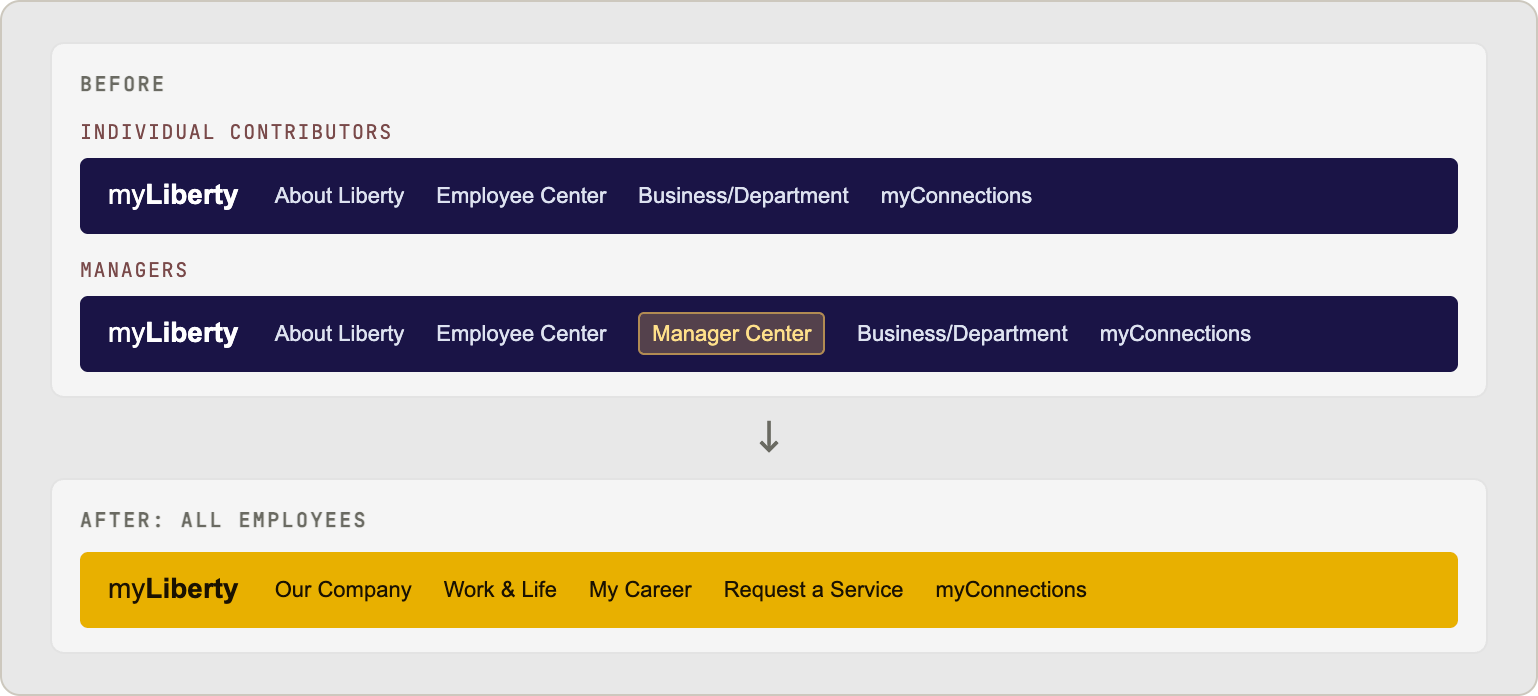
Every content page needed a structure: what it contained, how it was organized, who it was for. The central structural decision: manager-only content would live on the same page as all-employee content, not siloed in a separate section of the site.
This was a content governance decision as much as a UX decision: splitting topics by audience made the system harder to navigate, harder to maintain, and easier for content to drift out of sync.
A topic like "Benefits" existed in two places:
- Employee Center → all-employee benefits content
- Manager Center → manager-specific benefits guidance
Two pages to find, two pages to maintain. Managers who wanted the full picture — what their direct reports saw plus their own guidance — had to navigate to two separate sections of the site. Content editors updating the same topic in two places, with no structural relationship between them, meant content could drift out of sync or directly conflict.
One Benefits page, with role-aware content inline:
- All-employee content visible to everyone
- Manager content embedded in context, adjacent to the relevant all-employee content, not buried in a separate section
One page to find, one page to maintain. Managers see the full picture without navigating elsewhere. Content editors work within a single site structure.
Information architecture
The structural redesign
The redesign produced four top-level categories, each grounded in card sort data showing how employees naturally grouped content and tasks. Each category came with terminology standards and placement rules so 400 editors could rebuild consistently without needing UX sign-off on every decision.
CMS prototyping
Prototyping how 400+ content editors would use Drupal
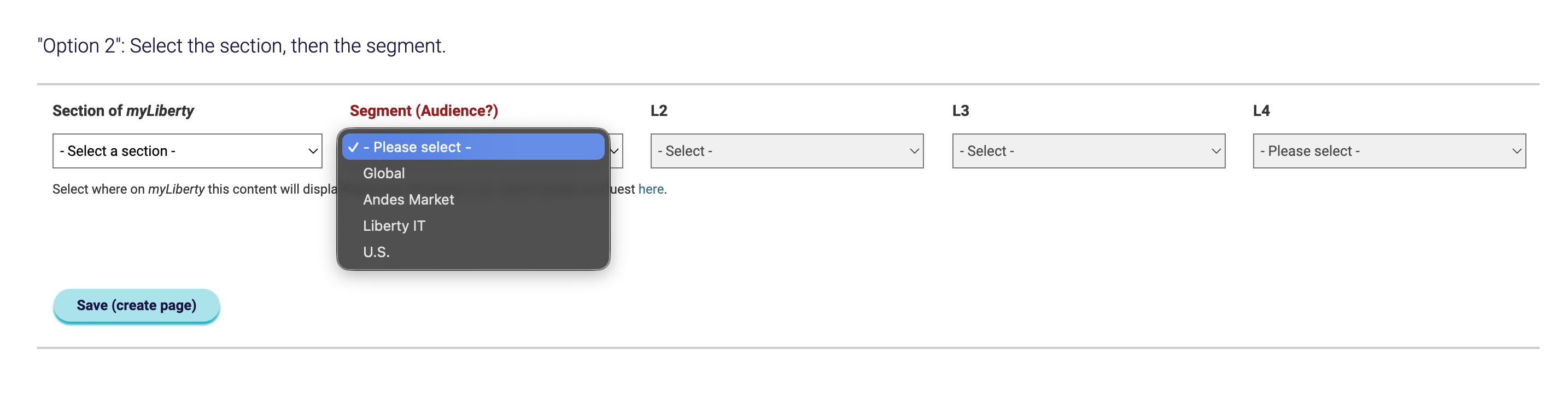
Reorganizing the employee-facing site was only half the problem. More than 400 content editors needed to rebuild and publish content in Drupal. The CMS had to help them choose the correct site section, identify the intended audience or market, and place each page at the right level of the new information architecture.
I built interactive Axure prototypes for three content-entry models. During a working session, engineering and content teams used them to compare how Drupal could support the new structure, additional audiences, global and local content, and future multilingual requirements. We selected Option 2: editors chose the site section first, then the audience or market, and then the appropriate level of the information architecture.
Navigation design
Mega menu: making the full site structure as navigable as possible
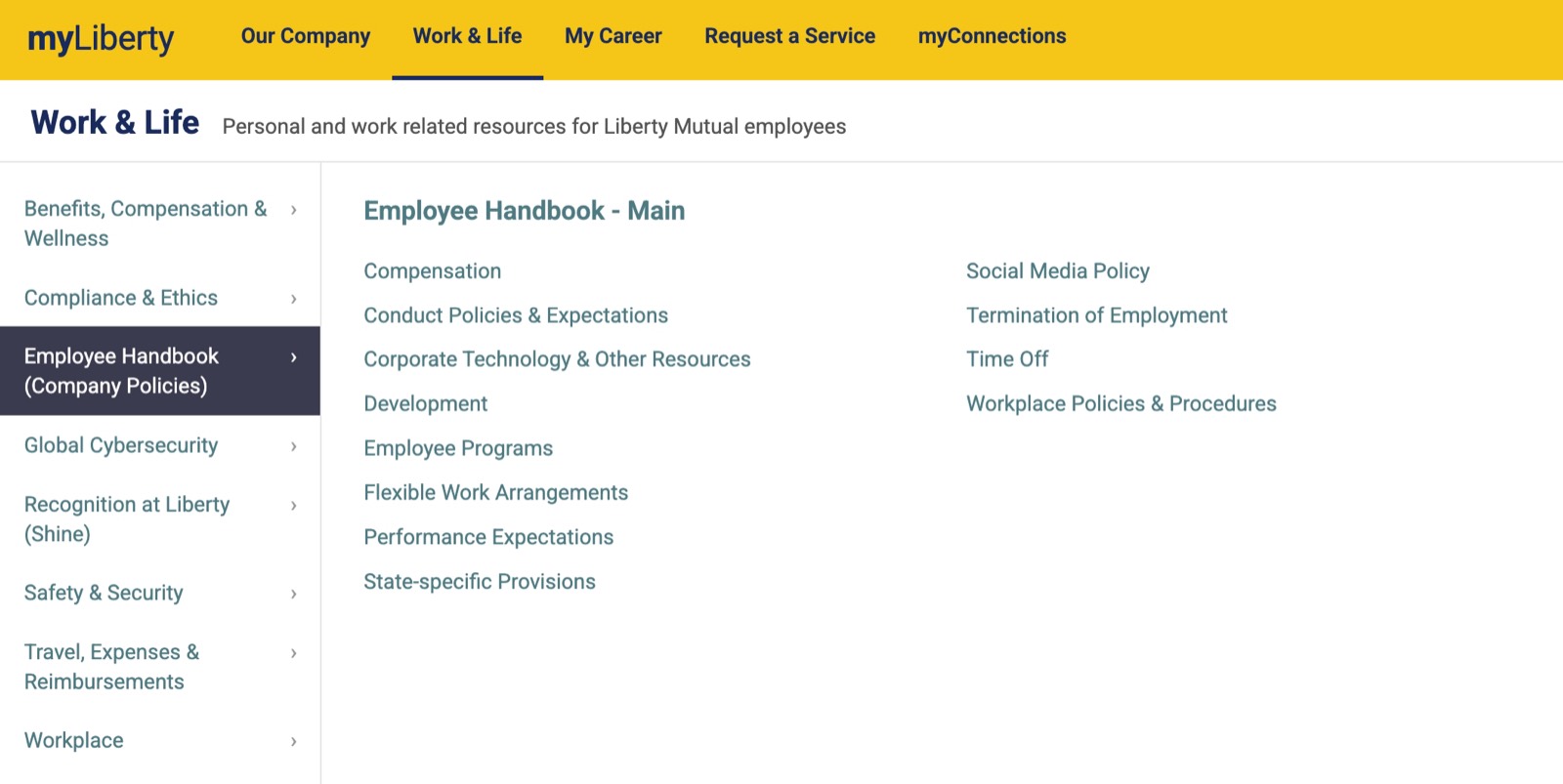
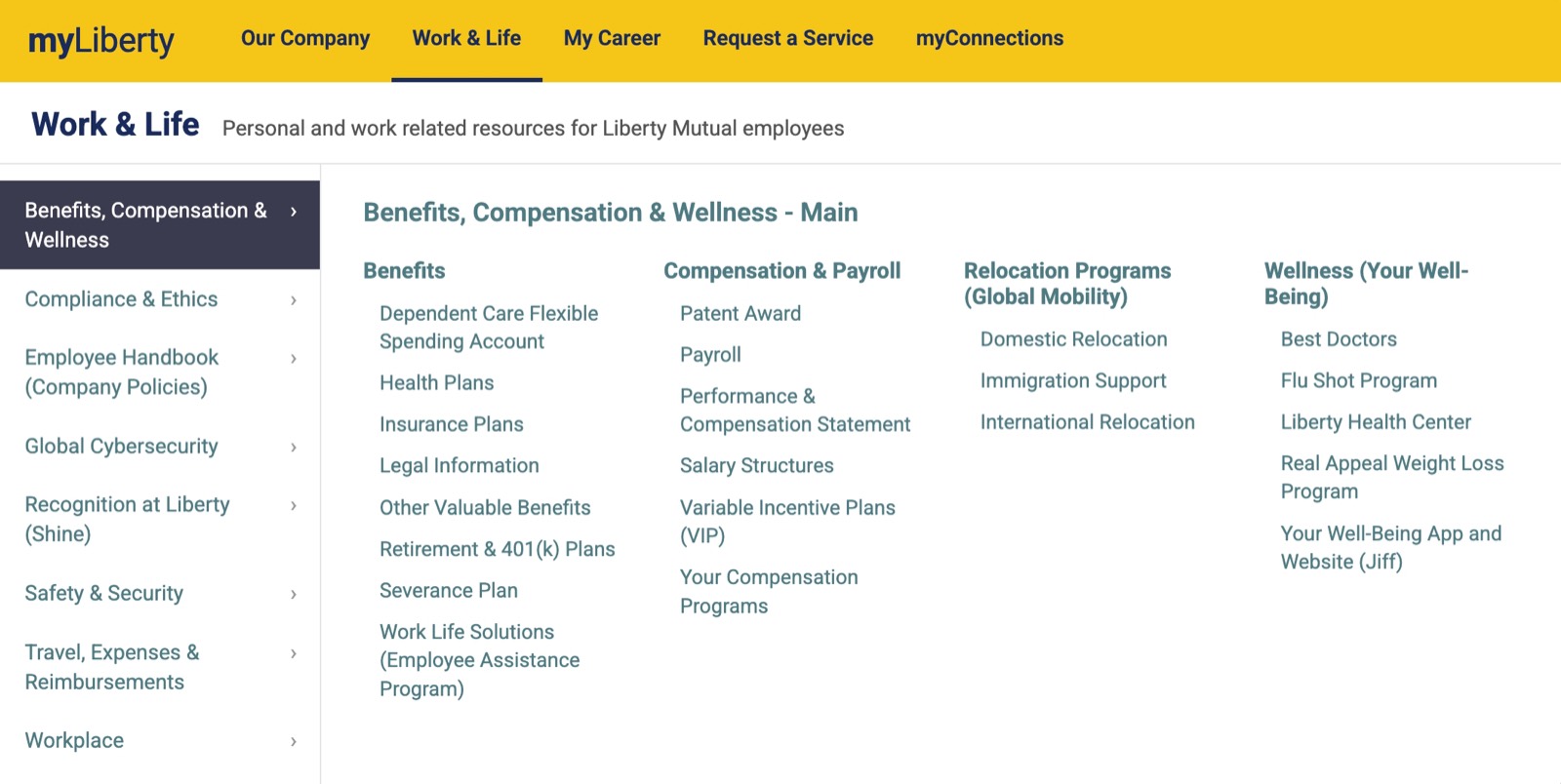
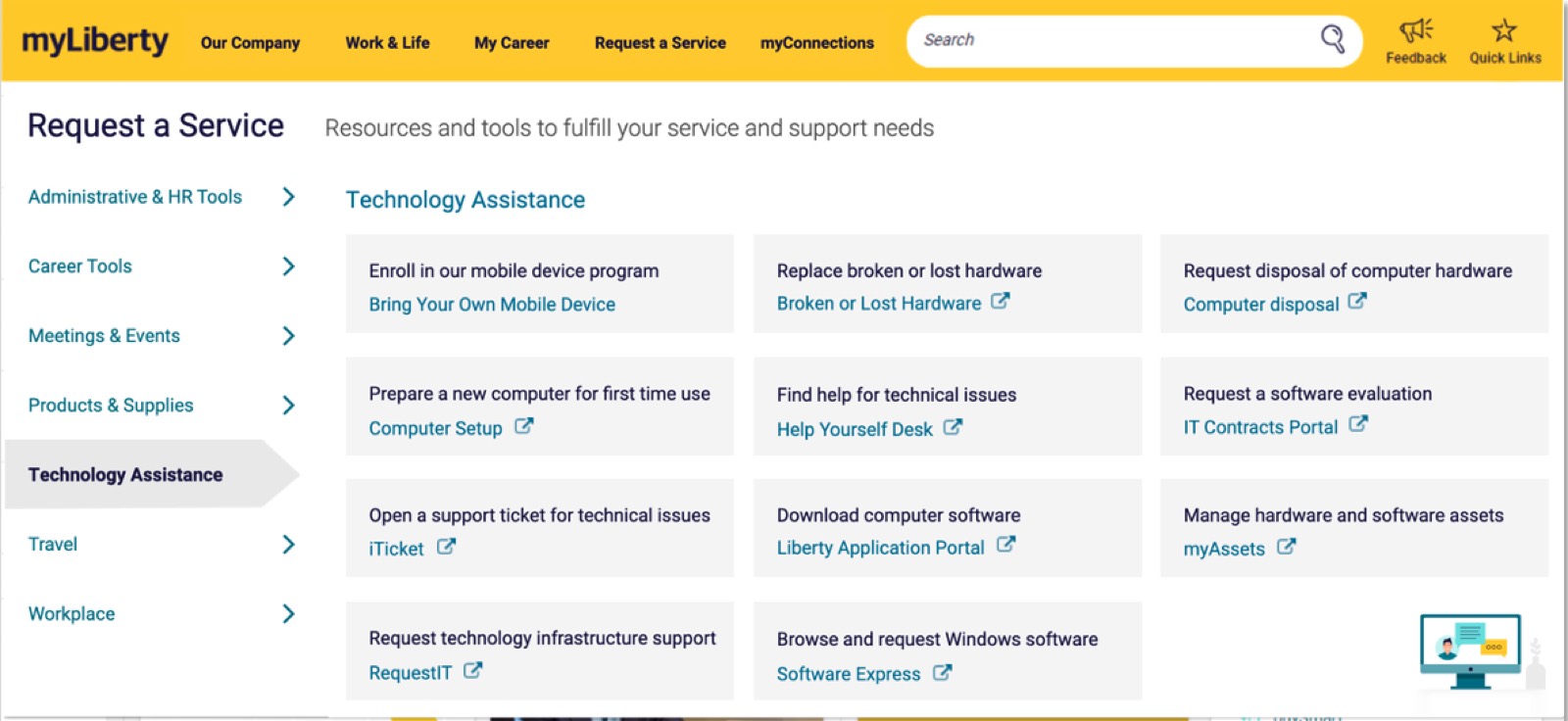
The existing menu surfaced a curated subset of links chosen by content editors. It did not reflect the full site hierarchy, so employees could not use it to move systematically from a broad category to the resource they needed. The challenge was to expose enough structure to make the site navigable without turning the menu into an overwhelming sitemap.
Liberty Mutual was building new brand and design-system foundations at the same time. Internal and external experiences were scoped as intentionally distinct: customer-facing sites guided prospective buyers through focused paths, while myLiberty needed to make a much broader set of employee resources findable. I applied the new color and type direction to the intranet's visual and navigation design, and contributed the three main-menu display patterns back into the Liberty Mutual Design System.
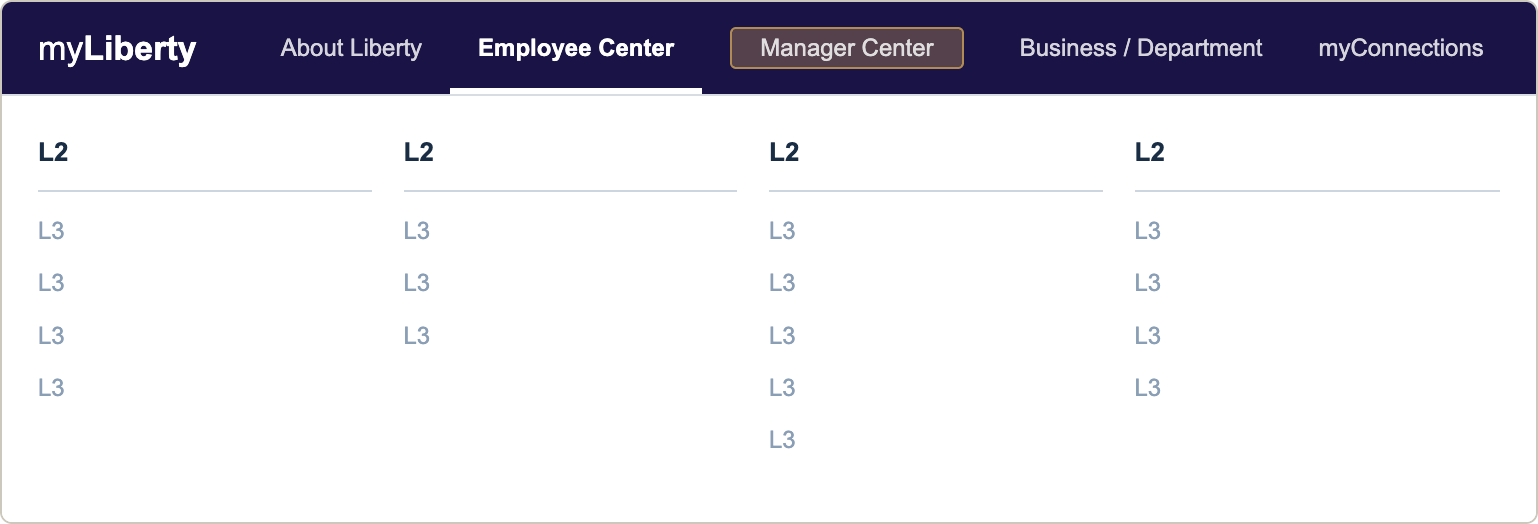
Visual design: menu overlay height stays consistent regardless of how many subsections a section has.
Scalability: prevents future content bloat from degrading findability.
Impact
Outcomes of the IA redesign and mega menu
Breadth of work
Beyond this case study: six years of work on myLiberty
The IA redesign established the structural foundation for the rebuilt platform. Over six years, I worked across nearly every facet of myLiberty as it added new features, content initiatives, accessibility requirements, and global markets.
Findability, navigation, and accessibility
- New site structure (IA redesign)
- Mega menu navigation redesign
- Search UI and result type design
- Quick Links redesign
- Accessibility · WCAG 2.1 A/AA
Employee self-service
- HR case and knowledge management (ServiceNow integration)
- IT support and service-request flows
Personalization and employee experience
- Homepage Tiles interaction design
- News feed customization
- Audience targeting
- Social network integration research
Global platform expansion
- Global intranet rollout
- Preferred-language settings
- Localization research and market-specific navigation
What this work demonstrates
Systems thinking at organizational scale
| Capability | Evidence from the work |
|---|---|
| Information architecture as systems design | Connected employee findability, navigation, the Drupal content model, and placement rules that 400+ content editors could apply consistently. |
| Research driving platform decisions | Used card sorting to shape categories; first-click and tree testing to validate proposed structure options; and moderated usability sessions to validate those options and add qualitative feedback to the quantitative IA studies. |
| Designing for organizational scale | Created structures and standards for a platform serving 45,000+ employees across Liberty's global markets while supporting decentralized publishing by hundreds of content editors. |
| Turning friction into measurable outcomes | Replaced opaque paths and tool names with navigable structures and plain-language descriptions; navigation support tickets fell from hourly to zero. |
Related work
An AI-native business of one testing how far a single operator could take a real business across product, commerce, content, and operations.
A Korean learning tool that breaks subtitles into labeled grammar maps, grounded in a published curriculum so the system's output stays checkable.
A capture tool and mobile study app that pull Japanese subtitles off the screen as they appear, using Claude to extract vocabulary while I decide what to learn.